

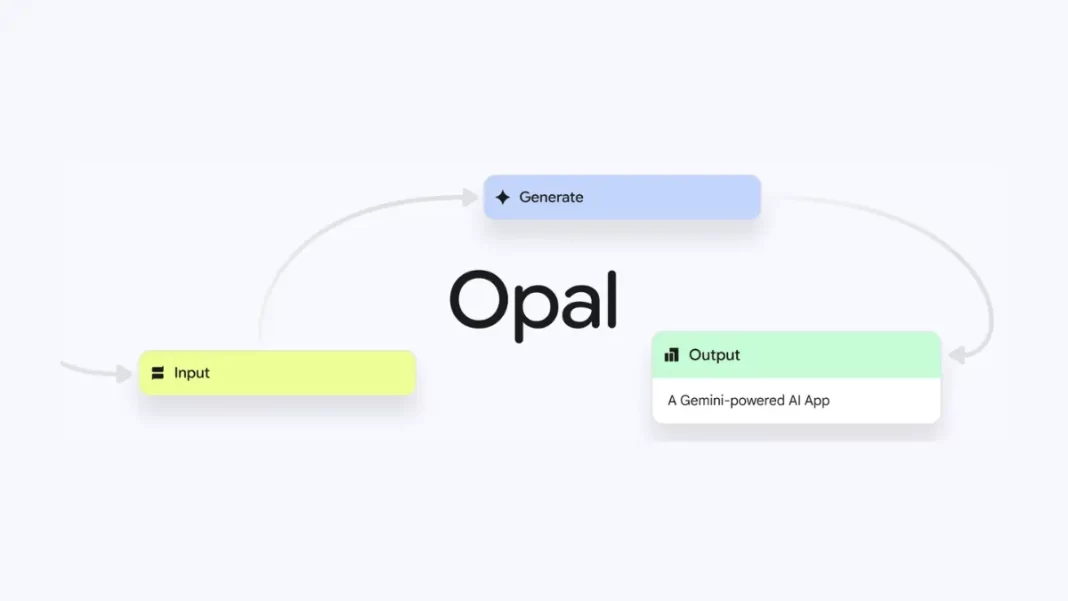
What is Google Opal and where is it available now?
Google Opal is a Google Labs experiment that lets you build shareable AI mini-apps using natural language and a visual editor. It’s expanding beyond the U.S. to 15 countries, including Canada, India, Japan, South Korea, Vietnam, Indonesia, Brazil, Singapore, Colombia, El Salvador, Costa Rica, Panamá, Honduras, Argentina, and Pakistan. Availability is rolling out.
Opal started as an early U.S. experiment in July. Google says users went beyond toy demos and built surprisingly practical tools, which helped justify a wider release. The latest update adds performance boosts, more transparent workflows, and real-time debugging.
How Opal works
Opal is meant to feel like describing the app you want, then seeing it appear as a step-by-step workflow you can tweak. You can start from scratch, or pick a template from a gallery and remix it.
Start with a prompt or a template. Tell Opal what you want (“Create a weekly team update app that collects notes, summarizes them, and emails a draft”). Opal drafts a workflow with inputs, model calls, and outputs.
Edit visually or by talking. Every step lives in a simple flow view. You can adjust a prompt, add a tool, or branch logic either by clicking or by describing the change in text. This is “vibe coding” in practice: shaping behavior with intent rather than code.
What’s new in this expansion. Alongside new countries, coverage today highlights faster performance, parallel workflows, and real-time debugging to see what each step is doing. That reduces guesswork when your app doesn’t behave.
Where to try it. Opal lives inside Google Labs and has a dedicated site. Because it’s an experiment, features and availability can change.

Five fast builds you can try today
Below are concrete mini-apps you can build in under an hour. They lean on prompts and small tweaks rather than code. (Your mileage will vary.)
- Classroom quiz maker
Upload a reading passage, generate 10 comprehension questions, then add a branch that produces an answer key and reading-level notes. Handy for teachers or tutors. (Vibe coding primer if you’re new.) - Meeting notes → action items
Feed a transcript, summarize by agenda item, detect owner names, and output tasks. Add a “sanity check” step to flag vague tasks. - Campaign copy variations
Paste a product description, output 5 headline options per channel (X, LinkedIn, Instagram), and tack on a final style pass to keep brand voice consistent. - Customer FAQ triage
Take incoming questions, detect intent, fetch a canned answer if confidence is high, else route to a “needs human” queue with a suggested reply. - Personal research brief
Paste 3–5 URLs, summarize each, then generate a neutral brief with a “claims checklist” that asks you to verify numbers before sharing.
Opal vs OpenAI Agent Builder vs Zapier Canvas: which fits?
Opal sits in a growing category of visual AI builders. Here’s a high-level view based on official pages and docs.
Comparison table
| Tool | Best for | Core strength | Learning curve | Notable details |
|---|---|---|---|---|
| Google Opal (Labs) | Beginners, teachers, marketers, quick prototypes | Natural-language mini-apps + visual edits | Low | Experimental; now rolling out to 15 countries; new debugging/perf upgrades. |
| OpenAI Agent Builder / AgentKit | Teams building agentic workflows end-to-end | Visual canvas + SDKs + Responses API; enterprise agent features | Medium | Production-oriented agents, SDKs, and deploy tooling; rapidly evolving docs. |
| Zapier Canvas | Mapping business processes & automations | Diagram systems; connect to Zaps/agents/tables | Low–Medium | Solid for ops/automation; AI assists and “system recommendation” prompts. |
Which to pick?
- Choose Opal if you want to quickly prototype AI helpers and share them with a class or small team.
- Choose Agent Builder/AgentKit if you need agent behaviors, SDK control, and a path to production.
- Choose Zapier Canvas if your main need is business workflow mapping/automation across SaaS tools with AI helping glue it together.
Privacy, safety, and the fine print
Opal is labeled an experiment under Google Labs. That means interfaces and region access can change, and some features may lag in certain countries. Treat sensitive data carefully and review outputs before sharing. (We’ll update this section as Google adds policy pages for Opal.)
Get started in five steps
- Go to the Opal page and sign in.
- Pick a gallery example close to your use case.
- Describe your goal in one or two sentences.
- Test the flow and open the debug view to see each step’s input/output.
- Share the mini-app link with a teammate and ask for a break-it pass.
Pros and Cons
Pros
- Natural-language start; visual edits
- Fast for demos and classroom/workshop use
- New debugging view clarifies each step
Cons
- Experimental; features and regions may change
- Limited details on governance/enterprise rollout
- Not a full backend/app-store replacement
Featured Snippet Boxes
What is Google Opal?
Opal is a Google Labs experiment for building AI mini-apps with natural language and a simple visual editor. You can start from a prompt or template, edit steps, and share the app.
Where is Opal available now?
Google is rolling Opal out to 15 countries beyond the U.S., including India, Canada, Japan, South Korea, Brazil, Singapore, and more. Availability may stage over time.
What’s new in the latest Opal update?
Faster performance, parallel workflows, and real-time debugging to see what each step is doing.
Is Opal free?
Google positions Opal as a Labs experiment you can try at no cost today; pricing or limits could change as the product evolves.

Frequently Asked Questions (FAQs)
Is Google Opal no-code or low-code?
No-code for most tasks; you edit flows and prompts without writing code.
Can I build multi-step workflows?
Yes. Opal chains steps and supports branching.
What is “vibe coding” and how does Opal relate?
“Vibe coding” means shaping software behavior with natural language and intent. Opal is one of Google’s vibe-coding experiments.
Can I use Opal for work?
Good for prototypes and internal tools. For hardened production agents, compare with OpenAI Agent Builder/AgentKit.
Does Opal export code?
Google hasn’t emphasized code export; it focuses on building and sharing flows inside Opal.
What about privacy?
It’s a Labs experiment; review data handling and avoid sensitive data until enterprise policies mature.
How is Opal different from Zapier Canvas?
Canvas maps business systems and ties into Zaps; Opal focuses on AI mini-apps you describe and refine.
Will Opal come to more countries?
Google often expands Labs experiments in waves; the current list has 15. Watch the Keyword blog for updates.

