

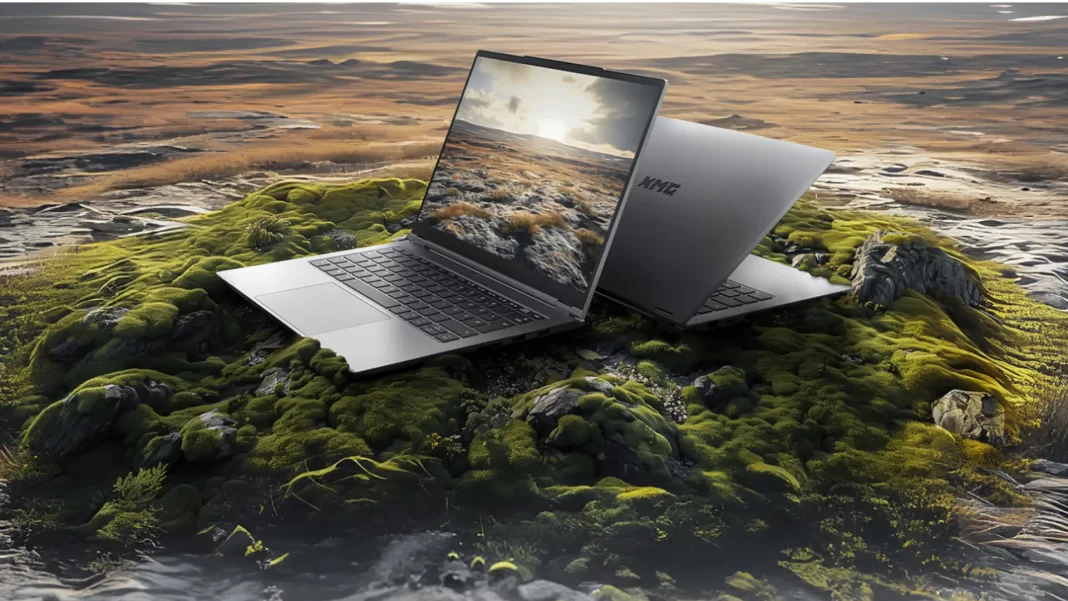
Short Answer: The SCHENKER XMG Evo 14 (M24) is a 14-inch, all-aluminum ultrabook with AMD Ryzen 7 8845HS or Intel Core Ultra 7 155H, a 2.8K/120Hz anti-glare display, up to 96GB RAM and dual PCIe 4.0 SSDs, an 80Wh battery, and USB4/Thunderbolt-class ports. It targets mobile work, light creation, and occasional gaming.
Table of Contents
Quick specs and key takeaways
If you want a 14-inch laptop that doesn’t solder everything, this is one of the rare models that lets you go big on RAM and storage without jumping to a 15- or 16-inch chassis. RAM can scale far beyond the usual ultrabook ceiling, and there are two M.2 slots for fast, roomy storage. The 80Wh pack is generous for this size, and ports cover most desk setups without dongles. Pricing varies by CPU and configuration, with EU buyers typically ordering via bestware (XMG’s partner).
CPU options: AMD vs Intel at a glance
You can choose Ryzen 7 8845HS or Core Ultra 7 155H in the M24 wave. Performance is tuned for sustained CPU power in a slim chassis; the Evo line emphasizes reliable cooling and steady all-core behavior rather than short spikes. If you want on-device NPU features, Intel Meteor Lake includes an NPU; AMD’s 8845HS has modest AI acceleration. (XMG’s 2025 refresh “E25” adds Ryzen AI 300 with larger NPU headroom; helpful if AI tasks are top of mind.)
Memory and storage (why 32/64/96GB and dual M.2 matter)
Unlike many thin-and-lights, RAM isn’t soldered. Two SO-DIMM slots let you target 32GB for everyday creation, 64GB if you juggle VMs or 4K timelines, or 96GB if you want maximum headroom now and later. There are two PCIe 4.0 M.2 slots, so you can keep scratch/project drives separate and upgrade over time.
Display: 14″, 2880×1800, 120Hz, anti-glare
The Evo 14 (M24) ships with a 2880×1800 (16:10) 120Hz matte IPS panel targeting 100% sRGB. It’s tuned for sharpness and comfort in bright rooms, with XMG quoting ~400 nits on M24; later E25 models list up to 500 nits. For office, editing SDR content, and browsing, it’s a sweet spot.
Battery and charger: 80Wh + 100W USB-C adapter
With 80Wh, you can expect a full day if your workload is mostly docs, calls, and light dev. Video editing or heavy compile chains will cut that sharply, but the capacity gives you margin. The included adapter is 100W USB-C; fast top-ups are practical, though absolute charge speeds also depend on firmware and power profiles.
Ports and wireless: USB4/Thunderbolt, HDMI, RJ-45, Wi-Fi
You get the ports people actually use: USB4/Thunderbolt-class, HDMI, RJ-45, and the usual USB-A mix. That means one cable to a dock/monitor is doable, and you still have wired Ethernet when you need low-latency stability. Wi-Fi 6/6E availability depends on configuration.
Who the XMG Evo 14 (M24) is for
Students and mobile professionals
If you live in Google Docs, Slack, Zoom, and IDEs, this hits the balance of weight (~1.4 kg), battery, and keyboard quality. RAM and SSD upgrades extend lifespan—useful if you plan to keep the machine 4–5 years.
Light creators and devs
Photo edits, SDR video trims, code builds, Docker, and a few containers at once are fine—especially with 32–64GB RAM and a second SSD for cache/media. If you do heavy GPU work, consider an eGPU via USB4 or a discrete-GPU laptop instead.
Casual gaming expectations (iGPU)
M24 configs are iGPU-only. You can play esports at modest settings; AAA titles will require compromises. If gaming matters, XMG’s KEY or NEO lines with RTX graphics fit better. (The 2025 E25 Evo 14 keeps iGPU-only to stay under ~1.5 kg.)

Configurations
Budget build (study/work)
- CPU: Ryzen 7 8845HS or Core Ultra 7 155H (choose the better regional price)
- RAM: 16GB (upgradeable later)
- SSD: 512GB (add a second drive when needed)
Why: You keep entry price low while preserving upgrade paths.
Balanced build (content + dev)
- CPU: Ryzen 7 8845HS
- RAM: 32GB (2×16)
- SSD: 1TB + empty second slot
Why: Enough memory for Lightroom, VS Code + Docker, and big browser sessions; second slot keeps scratch separate.
Max-headroom build (future-proofing)
- CPU: Core Ultra 7 155H (if you want on-device NPU) or wait for E25 if AI is core to your workflow
- RAM: 64–96GB
- SSD: 2TB + 2TB
Why: Plenty of RAM for VMs and media projects; dual SSDs for parallel scratch and archives.
Real-world experience and watch-outs
Thermals and fan behavior
XMG’s cooling choices (dual-fan design, quality thermal interface) help sustain clocks without wild spikes in noise. Expect short ramp-ups under bursty loads and steady, audible but controlled fans during long renders. Users report the 14-inch holds a sensible CPU power limit to balance heat and acoustics.
Battery life realities
80Wh is great on paper; real life varies with screen brightness and workload. Document work at ~40–50% brightness can last most of a day. Heavy compiles, multi-VM sessions, or continuous video editing will knock it down. Some user reports also note that sustained charge rates may feel modest relative to pack size—plan your top-ups.
Panel, keyboard, and build notes
The matte 2.8K/120Hz panel is sharp and comfortable for long sessions, and the all-aluminum chassis keeps flex low. Key feel leans slightly firm with clear travel; the 180-degree hinge is convenient for sharing a screen in meetings.
XMG Evo 14 vs alternatives
- ASUS Zenbook 14 OLED (UX series): sharper perceived contrast and wider color from OLED, often lighter; risk of OLED reflectivity and ABL behavior, and many configs solder RAM. Evo 14 answers with upgradeable RAM/SSD and Ethernet.
- Lenovo Yoga Pro 7 / Slim Pro 7 (14″): good creator value with strong screens and decent iGPU/dGPU options, but many configs solder RAM or limit storage lanes. Evo 14 wins on upgradability and Ethernet.
- Framework 13/16: unmatched modularity and repairability; Framework 13 is smaller, Framework 16 is heavier. Evo 14 strikes a middle ground with standard SO-DIMMs and dual M.2 without full modular overhead.
- Razer Blade 14 / MSI Prestige 14: more GPU grunt (Blade 14) or similar portability (Prestige), but price climbs quickly for dGPU models. Evo 14 keeps weight and price in check by staying iGPU-only.
Prices, availability, and warranty
Starting price for Evo 14 (M24) launched from about €949 (AMD) / €1,099 (Intel) in base EU configs via bestware; live pricing shifts with RAM/SSD choices and regional VAT. XMG sells primarily in Europe, but international buyers sometimes import through partner channels. Expect standard EU warranty with optional extensions via reseller.
Frequently Asked Questions (FAQs)
Is the XMG Evo 14 (M24) good for programming and VMs?
Yes. Prioritize 32–64GB RAM and a second SSD for VM images and Docker layers. The keyboard and 16:10 display help with vertical space.
Can I upgrade RAM and storage later?
Yes—two SO-DIMM slots (up to 96GB) and two PCIe 4.0 M.2 slots. Keep your original screws and use ESD care.
Does it have USB4/Thunderbolt for docks or eGPU?
Yes, the platform supports USB4/Thunderbolt-class connectivity for docks and high-speed peripherals. eGPU is possible, though performance varies by enclosure and workload.
How long does the battery last?
It’s 80Wh. Light work can last a full day; heavy loads drain much faster.
Is there a dedicated GPU option?
No on M24. For RTX graphics, consider XMG KEY or NEO. The 2025 Evo 14 (E25) remains iGPU-only to keep weight and thermals in check.
How much does it weigh?
Around 1.4 kg, which is competitive for a fully-featured 14-inch with 80Wh.
Limitations / considerations
- iGPU performance is fine for light creative apps and esports, not ideal for modern AAA titles.
- Brightness specs vary by generation (M24 ~400 nits; E25 claims up to 500 nits). Check your exact panel.
Featured Snippet Boxes
Q: What are the key specs of the SCHENKER XMG Evo 14 (M24)?
A: 14″ 2880×1800 120Hz anti-glare display, AMD Ryzen 7 8845HS or Intel Core Ultra 7 155H, up to 96GB DDR5 RAM, dual PCIe 4.0 M.2, 80Wh battery, USB4/Thunderbolt-class ports, ~1.4 kg.
Q: Is RAM upgradeable on the Evo 14 (M24)?
A: Yes—two SO-DIMM slots allow up to 96GB.
Q: Does the Evo 14 (M24) have a dedicated GPU?
A: No. It’s iGPU-only; choose XMG KEY/NEO for RTX GPUs, or consider an eGPU via USB4.
Q: How big is the battery?
A: 80Wh, above average for a 14-inch ultrabook.
Q: What’s the starting price?
A: EU launch pricing started around €949 (AMD) / €1,099 (Intel), varying with VAT and configuration.

Comparison Table
| Model | Weight | GPU | RAM policy | Battery | Notable |
|---|---|---|---|---|---|
| XMG Evo 14 (M24) | ~1.4 kg | iGPU | 2× SO-DIMM (up to 96GB) | 80Wh | USB4, dual M.2, RJ-45 |
| ASUS Zenbook 14 OLED | ~1.2–1.4 kg | iGPU | often soldered | ~63–75Wh | OLED screen options |
| Lenovo Yoga/Slim Pro 7 (14) | ~1.4–1.5 kg | iGPU/dGPU | mixed (often soldered) | ~70Wh | creator value |
| Framework 13 | ~1.3 kg | iGPU | modular | ~55–61Wh | repairable/modular |
| Razer Blade 14 | ~1.8 kg | dGPU | soldered | ~68.1Wh | strong GPU, pricier |
Glossary
- iGPU: Integrated graphics inside the CPU package.
- USB4/Thunderbolt: High-speed IO for docks, displays, storage, and eGPU.
- SO-DIMM: Replaceable laptop memory module.
- PCIe 4.0: Fast SSD interface for high throughput.
- NPU: Neural Processing Unit for on-device AI tasks.

