

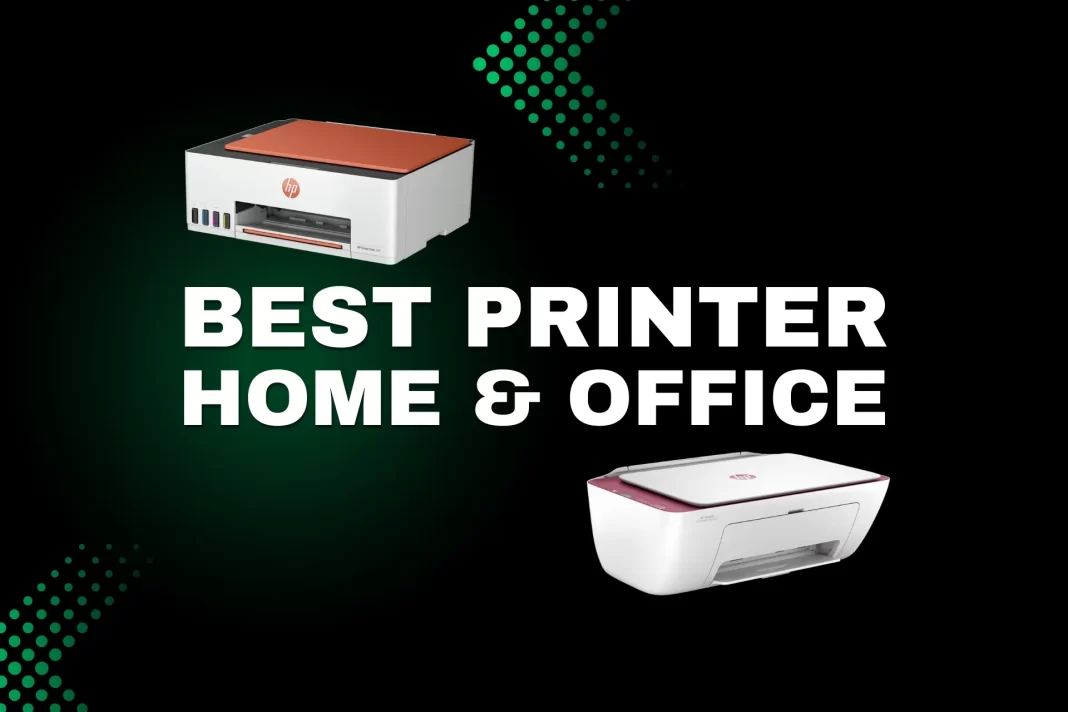
For most homes looking for the best printer, an ink tank AIO-HP Smart Tank 580/589 or Epson EcoTank L3250 keeps costs low and adds easy wireless printing. For text-heavy offices, a mono laser like Brother HL-L2321D (single-function) or DCP-L2541DW (scan/copy + duplex) is usually the best printer fit for fast, crisp text. Photographers should consider the Epson EcoTank L8050. Students on a tight budget can start with Canon PIXMA G2020 or an entry inkjet printer under 10000 just note the higher per-page costs on cartridges.
Table of Contents
Top picks by need
- Best overall (home ink tank): HP Smart Tank 580/589 – simple Wi-Fi setup, good text, very low CPP with bottled ink; AirPrint/Mopria via HP Smart app.
- Best budget under ₹10k (light use): Entry inkjets like HP DeskJet 2331 or Canon E-series; cheapest upfront, but higher CPP long-term. Check Gadgets360’s under-₹10k list for current street prices.
- Best office mono laser (text): Brother HL-L2321D – 30 ppm, auto-duplex, 2600-page toner yield. For scan/copy + Wi-Fi, step up to DCP-L2541DW.
- Best colour laser AIO (teams): Brother DCP-L3551CDW – duplex, ADF, network/Wi-Fi; worth it if you truly need fast, smudge-proof colour docs.
- Best photo printer (A4): Epson EcoTank L8050 – six-colour photo inks, borderless A4, disc/PVC printing options.
- Best mono ink tank (ultra-low CPP): Epson EcoTank M1100/M1050/M1120 – pigment black, ~₹0.15 per page (black) claim on M1100. Great for students/hostels and offices that never need colour.
How to choose the best printer for home and office
1) Page volume & duty cycle
Estimate your monthly pages. If you hit hundreds to a few thousand mainly in black-and-white, a mono laser is efficient and fast (20-30 ppm typical; 30 ppm on Brother HL-L2321D). If your volume is moderate with frequent colour (assignments, forms, tickets), today’s ink tanks are cheaper per page than cartridges and avoid the “cartridge tax.”
2) Cost per page (CPP) with sources
CPP = ink/toner bottle price ÷ yield. Real-world CPP varies with coverage, but India-specific references help:
- HP Smart Tank 500-series retail listings quote ~₹0.10 black / ₹0.20 colour per page.
- Canon MegaTank G-series (GI-71) published T&C example computes ₹0.395 composite colour/page from bottle MRPs and yields.
- Epson EcoTank M1100 (mono) claims ₹0.15 per black page.
3) Text vs photo quality
- Laser: razor-sharp text on plain paper; great for forms, invoices, books.
- Ink tank: better colour graphics and photos; modern tanks (Epson/Canon/HP) can do borderless up to 4R/A4 (model-dependent). Example: Epson L3250 supports borderless 4R and 5760 dpi.
4) Features that matter
- Duplex (2-sided) saves paper; standard on many lasers (HL-L2321D).
- ADF speeds multi-page scans/copies (Brother DCP-L2541DW; Brother DCP-L3551CDW).
- Connectivity: Look for Wi-Fi Direct, AirPrint (iPhone/iPad), Mopria (Android), and a reliable app (HP Smart, Epson Smart Panel, Canon PRINT). Example: HP Smart Tank 580 lists Wi-Fi, Wi-Fi Direct, Apple AirPrint.
Editor’s picks (mini-reviews for best printer)
HP Smart Tank 580/589 – best overall for most homes
Why: Low running cost, simple setup, solid text, good-enough colour for school and home docs. App support (HP Smart) is mature; AirPrint/Mopria support helps mixed households. Speeds: up to ~12 ppm black/5 ppm colour (ISO). Watch-outs: no auto-duplex on entry variants; give it a weekly page to avoid nozzle drying.
Cost context: India retail listings historically cite ~₹0.10/black and ~₹0.20/colour per page for Smart Tank 500-series; HP markets “very low cost per page” and large included page counts (some 6k–12k black/8k colour claims vary by model). Always confirm bottle MRP vs yield.
Buy if: 100–500 pages/month, mixed colour, homework, IDs, tickets.
Skip if: you demand crisp laser text at 30 ppm or heavy duplex.
Read our full HP Smart Tank 580 review
Epson EcoTank L3250 – home tank with borderless and high DPI
Cleaner app (Epson Smart Panel), borderless 4R, high 5760 dpi driver mode for nicer photos/charts. Great “family” pick if you print craft projects and school photos.
Read our full Epson EcoTank L3250 review
Canon PIXMA G2020 – budget tank with transparent CPP math
Entry MegaTank AIO. Canon publishes GI-71 cost math; retail pages often cite ₹0.13 black / ₹0.24 colour per page. Good if you want a straightforward tank under ~₹14k.
Read our full Canon PIXMA G2020 review
Brother DCP-T426W – value Wi-Fi tank with high yields
Print up to 7,500 black / 5,000 colour pages with genuine bottles; simple panel, Wi-Fi, Mopria. Good for families who want Brother reliability and easy refills.
Read our full Brother DCP-T426W review
Brother HL-L2321D – mono laser speed + duplex under ₹15k
Rock-solid 30 ppm text, auto-duplex, 250-sheet tray, and TN-2365 2,600-page toner. If your prints are 99% text, this is the stress-free choice.
Read our full Brother HL-L2321D Printer review
Brother DCP-L2541DW – mono laser AIO for small offices
Adds scanner/ADF, Wi-Fi/LAN, and duplex to the laser equation ideal for GST invoices, worksheets, and document archives.
Read our full Brother DCP-L2541DW review
Brother DCP-L3551CDW – colour laser AIO for teams
Duplex, ADF, and network/Wi-Fi; great for presentations, brochures, and charts that need durable toner output. Heavier and pricier; only buy if colour speed and smear-proof output matter.
Read our full Brother DCP-L3551CDW review
Epson EcoTank L8050 – best A4 photo printer (six-colour)
Six-colour tank system produces far better photo gradients than 4-colour office tanks; also handles disc and PVC/ID media. For hobby photo labs and creators.
Read our full Epson EcoTank L8050 review
Epson EcoTank M1100/M1050/M1120 – the “never buy toner” path
Pigment black ink, very low CPP (~₹0.15/page claim on M1100). Choose this if you never need colour but want ink-tank economics.
Setup & maintenance tips
- Run alignment + nozzle check on day one (ink tanks).
- Print a page weekly (simple B/W text is fine) to keep heads wet.
- Use duplex for drafts, single-sided for certificates/photos.
- Keep 80–100 gsm for everyday docs; switch to 120–180 gsm for colour charts; use photo paper only on tanks designed for it (see model specs).
- Apps to install: HP Smart / Epson Smart Panel / Canon PRINT; enable AirPrint/Mopria for phones.
Comparison Table
| Use-case | Model | Type | Key specs | Why it wins |
|---|---|---|---|---|
| Home overall | HP Smart Tank 580/589 | Ink tank AIO | ~12/5 ipm, Wi-Fi, AirPrint/Mopria | Low CPP, easy app, balanced quality |
| Balanced home | Epson EcoTank L3250 | Ink tank AIO | 5760 dpi, 10/5 ipm, borderless 4R | High quality, good app, borderless |
| Budget tank | Canon PIXMA G2020 | Ink tank AIO | 8.8/5 ipm | Transparent CPP math; affordable bottles |
| Office text | Brother HL-L2321D | Mono laser | 30 ppm, auto-duplex | Fast, cheap text, sturdy tray |
| Office AIO | Brother DCP-L2541DW | Mono laser AIO | 30 ppm, duplex, ADF, Wi-Fi/LAN | All-rounder for teams |
| Colour team AIO | Brother DCP-L3551CDW | Colour laser AIO | Duplex, ADF, Wi-Fi/network | Durable colour docs, low fuss |
| A4 photo | Epson EcoTank L8050 | Photo ink tank | Six-colour, A4 photo, disc/PVC | Best home photo quality |
| Mono tank | Epson EcoTank M1100 | Mono ink tank | 15p/page claim | Cheapest B/W per page |
Frequently Asked Questions (FAQs)
Best printer under 10000?
Look at entry inkjets like HP DeskJet 2623/2331 or Canon E-series; just expect higher CPP than tanks.
Do I need duplex?
If you print notes or long PDFs, yes it halves paper use. Brother HL-L2321D has auto-duplex built-in.
Is colour laser worth it over a tank?
Only if you need fast, smear-proof colour text/graphics and minimal maintenance. Otherwise, tanks are cheaper to run.
Can I print from iPhone/Android?
Yes look for AirPrint/Mopria and vendor apps (HP Smart, Epson Smart Panel, Canon PRINT). Example: HP Smart Tank 580 supports Wi-Fi, Wi-Fi Direct, AirPrint.
Will ink tanks clog if unused?
They can. Print a page weekly and keep the printer dust-free. If you rarely print, a mono laser may be safer.
What about photos?
For true photo quality, prefer six-colour photo tanks like Epson L8050 over four-colour office tanks.
 Epson EcoTank L3210 Review: The Ultra-Budget Ink Tank Printer That Prints at ₹0.09 Per Page
Featured Snippet Boxes
Which is the best printer for home use in India (2025)?
A refillable ink tank AIO suits most homes. The HP Smart Tank 580/589 and Epson EcoTank L3250 are popular because they offer low cost per page, Wi-Fi printing, and decent photo quality for school projects.
Which printer has the lowest cost per page?
For black-and-white, mono ink tanks like Epson EcoTank M1100 claim ~₹0.15 per page. For colour, ink tanks beat cartridges; example retail math shows ₹0.10 black/₹0.20 colour on HP Smart Tank 500-series and ~₹0.39 composite colour on Canon GI-71 bottles.
Laser vs ink tank what should I buy?
Choose laser for fast, crisp text at high volumes; choose ink tank for cheap colour and photo-friendly output. For families and students, ink tanks are usually better; for text-only offices, a mono laser is simpler and faster.
Source: HP | Canon India | Epson | Brother

