

Key Takeaways
- Microsoft delivers Windows 11 features through annual updates, monthly servicing technology, and Microsoft Store updates
- Controlled Feature Rollout (CFR) gradually enables new features after validation, not all at once
- Enterprise users get default-off controls for select features with Group Policy management
- Windows 11 26H2 expected October 2026 following the established annual cadence
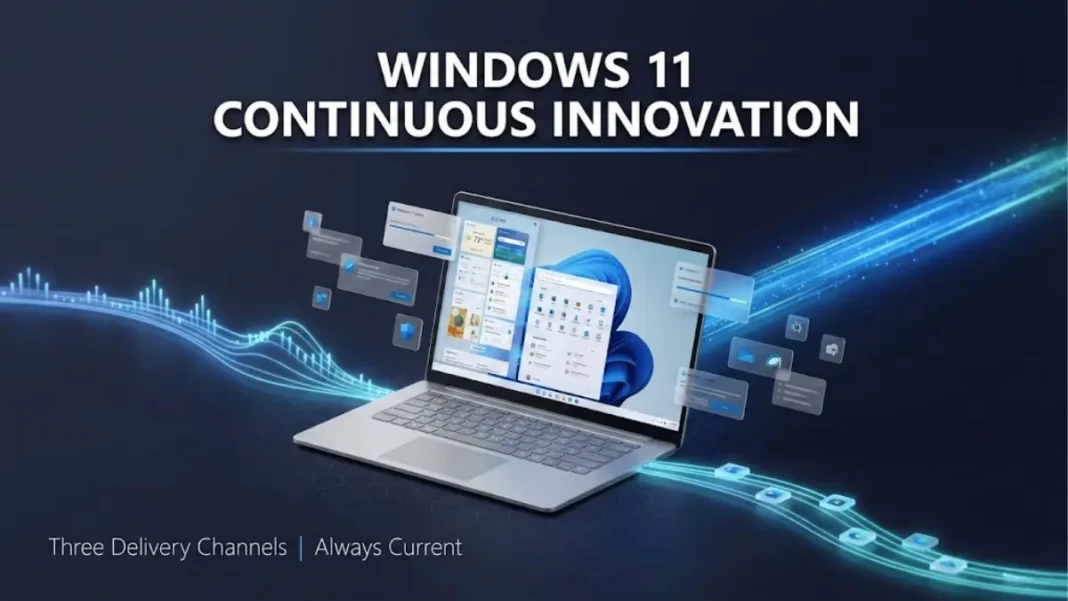
Microsoft dismantled Windows’ traditional update model in February 2022 and Windows 11 users are experiencing the shift firsthand in 2026. Instead of waiting months for feature bundles, you receive innovations as soon as they’re validated. This guide explains how Microsoft’s three-channel delivery system works, what it means for your device, and how IT administrators maintain control.
Three Delivery Channels for Windows 11 Features
Windows 11 receives new capabilities through distinct pathways, each serving different update priorities and timelines.
Annual feature updates arrive in the second half of each calendar year, marking the start of official support cycles. Version 24H2 launched October 1, 2024, version 25H2 released September 30, 2025, and version 26H2 is expected October 2026. These updates establish 24-month support for Home and Pro editions, while Enterprise and Education receive 36 months.
Servicing technology delivers features through monthly cumulative updates using the same mechanism as security patches. Microsoft includes feature code in these updates but keeps capabilities disabled initially, enabling them gradually through Controlled Feature Rollout after validation. The January 29, 2026 preview update (KB5074105) added Cross-Device Resume expansion and Windows MIDI Services upgrades using this method.
Microsoft Store updates push changes to built-in apps and system components independently from OS updates. This channel handles applications like Photos, Calculator, and system components requiring faster iteration cycles than monthly updates allow.

How Controlled Feature Rollout (CFR) Changes Update Behavior
Controlled Feature Rollout fundamentally altered how Windows 11 activates new capabilities after installation.
Traditional Windows updates enabled all features immediately upon installation. CFR keeps many capabilities dormant in your system, activating them only after Microsoft validates stability and compatibility for your specific hardware configuration. You install an update containing feature code, but the feature remains invisible until Microsoft remotely enables it through CFR technology.
This gradual activation starts with devices running optional non-security preview releases. Microsoft monitors performance, stability, and compatibility data before expanding availability. Once validated, features roll to additional devices, eventually appearing enabled-by-default in subsequent Patch Tuesday security updates.
Why CFR matters for missing features: If an announced feature doesn’t appear after updating, CFR is responsible. The capability exists in your system files but awaits remote activation based on Microsoft’s validation timeline and your device configuration.
What is the purpose of Windows 11’s continuous innovation model?
Windows 11’s continuous innovation delivers new features throughout the year using monthly servicing technology, annual feature updates, and Microsoft Store updates. This approach ensures quality through phased rollouts while maintaining familiar update mechanisms, replacing the wait-months-for-features model used in previous Windows versions.
Enterprise Control Mechanisms for Update Management
Organizations receive specific controls to manage features introduced through servicing technology, addressing stability requirements for commercial environments.
Default-off features ship disabled on Windows update-managed devices in enterprise and education environments. Microsoft identifies select features that might disrupt business operations these remain off until administrators enable them through a single Group Policy or MDM setting. This policy controls features introduced after November 2022 as a set, not individually.
Policy activation timing gives IT departments choice over when to enable new capabilities. Organizations can keep features disabled until the next annual update, when they deploy enabled-by-default. This synchronizes feature adoption with organizational change management schedules while maintaining security patch compliance.
Documentation and management accompanies each controlled feature release. Microsoft provides details on affected features, their business impact, and management instructions through dedicated Group Policy or individual feature policies accessible via Group Policy Management Console and Intune.
Update Visibility and Communication Strategy
Microsoft maintains transparency around servicing-delivered features through established channels familiar to IT administrators.
Each monthly security update and optional non-security preview release receives unique build numbers and KB identifiers. The Windows release health dashboard documents all changes, including features shipped outside annual updates. Microsoft announces new capabilities when ready through the dashboard, social media channels, and the Windows Experience Blog.
Recent 2026 examples demonstrate this communication approach. The January 24, 2026 out-of-band update (KB5078127) addressed specific issues requiring immediate attention. The January 29 preview update (KB5074105) introduced Cross-Device Resume expansion, Windows MIDI Services upgrades, and Smart App Control management improvements with detailed release notes published simultaneously. The February 10, 2026 Patch Tuesday update will deliver additional refinements following the established monthly cadence.
Performance Impact Across Windows 11 Versions
Testing reveals minimal resource differences between Windows 11 versions 23H2, 24H2, and 25H2, contradicting concerns about update-induced performance degradation.
CPU and memory utilization show only 1% average differences across versions approximately 81MB of memory, unnoticeable during typical usage. Interestingly, version 23H2 consumed slightly more memory than 25H2, suggesting improved optimization in newer releases despite added AI capabilities.
Disk operations remain effectively unchanged across versions. Storage performance depends on workload activity rather than OS version, with all Windows 11 releases falling within the same performance range for disk commands.
Running processes increased slightly in 25H2, explaining minor resource usage upticks. However, these differences don’t translate into practical scalability concerns or affect user density in VDI environments. Host-level metrics confirm that CPU, memory, and disk performance remain consistent enough that version upgrades don’t require hardware reassessments.
Comparison: Windows 11 24H2 vs 25H2 Feature Evolution
| Dimension | Windows 11 24H2 | Windows 11 25H2 |
|---|---|---|
| AI Integration | Basic Copilot functionality | Copilot+ with deep app integration and contextual awareness |
| Performance | Baseline app launch speeds | Enhanced app launch performance through Smart Resource Allocation |
| Security | Kernel Isolation optional | Kernel Isolation enabled by default |
| Battery Life | Standard power management | Enhanced with Wi-Fi 7 optimizations and smarter display dimming |
| UI Updates | Maintained existing visual language | Subtle aesthetic improvements and navigation refinements |
| Memory Management | Standard algorithms | New scheduler algorithms and memory management optimizations |
*Performance improvements based on third-party testing and official GO-EUC benchmarks
Long-Term Servicing Channel (LTSC) for Regulated Industries
Organizations requiring stability over features can leverage the Long-Term Servicing Channel, designed for mission-critical environments.
LTSC allows enterprises in healthcare, government, and finance sectors to delay feature updates for up to 10 years. This option maintains full system stability control while still receiving security updates. Devices running LTSC avoid the continuous innovation model entirely, trading new features for predictable, unchanging functionality in highly regulated environments where software consistency is mandatory.
How does Controlled Feature Rollout determine which devices receive features first?
Controlled Feature Rollout starts with devices installing optional non-security preview releases, then gradually expands to additional devices after Microsoft validates stability, performance, and hardware compatibility. The system monitors real-world performance data before enabling features more broadly, eventually including them enabled-by-default in subsequent Patch Tuesday security updates.
Practical Implications for Home Users
Home and Pro edition users receive continuous innovation features automatically with minimal interaction required.
You install updates when available and restart when prompted, no configuration needed. Features appear gradually as Microsoft validates compatibility for your hardware. If an announced capability doesn’t appear immediately, your device awaits its CFR activation window based on Microsoft’s rollout schedule.
Support lifecycle awareness matters for Home and Pro users. Each annual feature update provides 24 months of security updates from its release date. Staying current with annual updates ensures continued security patch eligibility. The continuous innovation model delivers features throughout those 24 months, but the annual update itself defines your support window.
Windows 11 26H2: Expected Timeline and Features
Microsoft typically targets October for annual feature updates, placing Windows 11 26H2 in that same timeframe for 2026.
Version 24H2 released October 1, 2024, and version 25H2 launched September 30, 2025, establishing the pattern. Version 26H2 is planned for October 2026 and will mark the start of a new 24-month support cycle for Home and Pro editions and 36 months for Enterprise and Education.
Between now and 26H2, expect continued feature deliveries through monthly servicing updates. The January 2026 preview update demonstrates this cadence with Cross-Device Resume expansion, MIDI Services upgrades, and Smart App Control management arriving mid-cycle. Microsoft’s 2026 commitment focuses on addressing “pain points” across Windows 11 while maintaining the proven continuous innovation delivery model.
Limitations and Considerations
Continuous innovation introduces transparency challenges for users expecting clear feature roadmaps. Microsoft announces capabilities “when ready” rather than providing advance schedules. This approach prioritizes quality over predictability but makes planning difficult for organizations managing change communications.
CFR unpredictability means identical devices on the same update may have different features enabled at different times. While this ensures stability, it complicates support scenarios where users report inconsistent experiences despite running identical build numbers.
Enterprise policy complexity requires understanding which features respect default-off controls versus those enabled immediately. Not all servicing-delivered features use the single policy control some have dedicated management options, creating a mixed governance model that demands careful documentation review.

Frequently Asked Questions (FAQs)
What are the three ways Windows 11 delivers new features?
Windows 11 receives features through annual feature updates in the second half of each year, periodic updates using monthly servicing technology, and Microsoft Store updates for apps and system components. Users install updates and restart when prompted to receive all feature types automatically.
Do I need to do anything special to get continuous innovation features?
No configuration is required for home users. Install Windows updates when available and restart your device when prompted. Features arrive automatically through the update process and activate based on Microsoft’s validation timeline for your specific hardware.
How long does Windows 11 Home edition receive support?
Windows 11 Home and Pro editions receive 24 months of support from each annual feature update release date. Enterprise and Education editions receive 36 months of support, providing extended timelines for organizations managing larger device fleets.
What is the difference between Controlled Feature Rollout and regular updates?
Regular updates install feature code immediately and enable capabilities at once. Controlled Feature Rollout installs feature code but keeps capabilities disabled, activating them gradually after Microsoft validates stability and compatibility for your device configuration.
Can enterprise organizations disable continuous innovation features?
Yes, select features that might disrupt business operations ship disabled by default on Windows update-managed devices in enterprise environments. Administrators control these features through a single Group Policy or MDM setting, or can wait until the next annual feature update to adopt them.
When will Windows 11 26H2 be released?
Based on previous release patterns, Windows 11 26H2 is planned for October 2026. Version 24H2 released October 1, 2024 and version 25H2 launched September 30, 2025, establishing Microsoft’s typical annual feature update timeframe.
How does CFR affect announced features that don’t appear after updating?
If an announced feature doesn’t appear after installing an update, Controlled Feature Rollout is responsible. The feature code exists in your system files but awaits remote activation based on Microsoft’s validation timeline and your specific hardware compatibility assessment.

