

Quick Brief
- OpenClaw runs as local AI gateway connecting WhatsApp, Telegram, and Slack channels
- Model Studio API provides OpenAI-compatible endpoints with Qwen models for international regions
- Configuration requires Node.js 22+, API key setup, and JSON file modification in 15 minutes
- Qwen-Plus delivers 1 million token context window at $0.4 per million input tokens
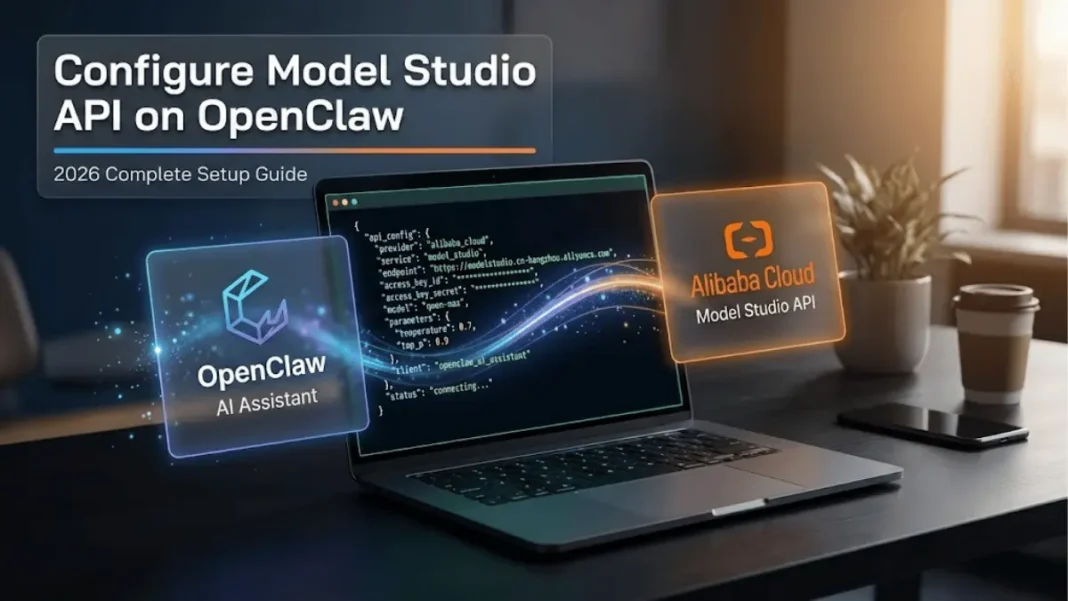
OpenClaw just dismantled the traditional AI assistant formula and Alibaba Cloud Model Studio powers it. This open-source personal AI agent runs locally on your infrastructure, integrates with messaging platforms you already use, and executes actual tasks beyond simple conversation. Configuring Model Studio’s Qwen API unlocks large language models that remember context, automate workflows, and operate without subscription fees. Here’s how to deploy this production-grade setup using tested configurations from our hands-on implementation.
Understanding OpenClaw and Model Studio Integration
OpenClaw operates as a self-hosted gateway that bridges AI language models with your preferred communication channels. The platform underwent rapid evolution launching as Clawdbot, rebranding to Moltbot between January 27-29, 2026, then settling as OpenClaw by January 29-30, 2026. This naming turbulence reflects its viral adoption rather than instability.
The architecture differs fundamentally from cloud-hosted assistants. OpenClaw runs on your local machine or server, maintaining persistent memory across conversations while granting access to shell commands, file systems, and browser automation. Alibaba Cloud Model Studio provides the reasoning engine through OpenAI-compatible API endpoints.
What makes Model Studio API suitable for OpenClaw integration?
Model Studio API offers OpenAI-compatible interfaces with base URLs for Singapore, Virginia, and Beijing regions. The service requires no lock-in contracts you bring your own API key and pay per token consumed. Qwen-Plus model delivers input costs at $0.4 per million tokens (equivalent to $0.0004 per 1,000 tokens) and supports up to 1 million token context windows, enabling complex agent workflows that maintain conversation history across multiple sessions.
System Requirements and Prerequisites
OpenClaw demands Node.js version 22 or higher for dependency compatibility. Verify your installation by running node -v in terminal. The installation script automatically handles Node.js installation if not present on your system.
The installation process varies by operating system. macOS and Linux users can deploy via single-command curl script, while Windows requires PowerShell execution. The installer automatically detects your operating system and installs missing dependencies.
You’ll need an active Alibaba Cloud account to access Model Studio console. The service operates in three geographic regions with distinct API keys Singapore, US Virginia, and China Beijing. Selecting the nearest region reduces network latency by routing requests through local data centers.
Installing OpenClaw on Your System
The one-line installer handles dependency resolution automatically. For macOS and Linux, execute curl -fsSL https://openclaw.ai/install.sh | bash in terminal. Windows users access installation instructions through the official OpenClaw website.
Post-installation triggers an interactive onboarding wizard. Select “Yes” to acknowledge security permissions, choose “QuickStart” for streamlined setup, and skip provider configuration during initial run. These settings can be modified later through web dashboard or configuration files.
The installer creates directory structures at ~/.openclaw/ for current installations. Installations completed between January 27-29, 2026 during the Moltbot naming period may have ~/.moltbot/ directories instead. Configuration files, conversation logs, and skill definitions persist in these locations.
Obtaining Model Studio API Credentials
Navigate to Model Studio Console and access API Key management from the top-right settings icon. Click “Create API Key” to generate credentials copy immediately as keys display only once upon creation for security.
Each API key must be associated with a workspace. The default workspace can call all models within Model Studio. API keys within the same workspace have identical permissions. Each workspace supports up to 20 API keys maximum.
How do Model Studio regions affect API performance?
Region selection determines both endpoint URL and data storage location. Singapore region uses base URL https://dashscope-intl.aliyuncs.com/compatible-mode/v1, while Beijing region uses https://dashscope.aliyuncs.com/compatible-mode/v1. Cross-region API calls incur additional latency selecting the nearest geographic region and optimizing response times for your deployment location.
Configuring API Key as Environment Variable
Environment variables prevent accidental API key exposure in code repositories. Check your default shell by running echo $SHELL—output shows either /bin/zsh or /bin/bash.
For zsh users, append the key to ~/.zshrc file using echo "export DASHSCOPE_API_KEY='YOUR_ACTUAL_KEY'" >> ~/.zshrc, then apply changes with source ~/.zshrc. Bash users modify ~/.bash_profile instead, running echo "export DASHSCOPE_API_KEY='YOUR_ACTUAL_KEY'" >> ~/.bash_profile followed by source ~/.bash_profile.
Verify successful configuration by opening a new terminal window and executing echo $DASHSCOPE_API_KEY. The command should return your full API key string without quotes or formatting characters.
Modifying OpenClaw Configuration File
OpenClaw accepts configuration through web dashboard or direct JSON editing. Launch the dashboard with openclaw dashboard command for visual interface. Advanced users can edit ~/.openclaw/openclaw.json directly using nano, vim, or preferred text editor.
Our tested configuration for Qwen-Plus model includes:
json{
  "agents": {
    "defaults": {
      "model": {
        "primary": "modelstudio/qwen-plus"
      },
      "models": {
        "modelstudio/qwen-plus": {
          "alias": "Qwen Plus"
        }
      }
    }
  },
  "models": {
    "mode": "merge",
    "providers": {
      "modelstudio": {
        "baseUrl": "https://dashscope-intl.aliyuncs.com/compatible-mode/v1",
        "apiKey": "${DASHSCOPE_API_KEY}",
        "api": "openai-completions",
        "models": [
          {
            "id": "qwen-plus",
            "name": "Qwen Plus",
            "reasoning": false,
            "input": ["text"],
            "cost": {
              "input": 0.0004,
              "output": 0.0012
            },
            "contextWindow": 131072,
            "maxTokens": 32768
          }
        ]
      }
    }
  }
}
The ${DASHSCOPE_API_KEY} placeholder references the environment variable configured earlier. OpenClaw substitutes this value at runtime without storing plain-text credentials in configuration files.
For advanced use cases requiring larger context windows, Qwen3-Max-2026-01-23 model offers input pricing at $1.2 per million tokens (equivalent to $0.0012 per 1,000 tokens) with output pricing at $6 per million tokens ($0.006 per 1,000 tokens).
Verifying Configuration and Testing Model Access
Restart OpenClaw gateway to apply configuration changes. Use openclaw gateway restart for single-command execution. Alternatively, separate openclaw gateway stop followed by openclaw gateway start after 2-3 second pause applies configuration updates.
Verify model recognition by running openclaw models list output displays all configured providers and available models with alias names. The command performs local validation without consuming API tokens.
Execute connectivity probe with openclaw models status --probe to send actual test requests. This validates API key authentication, endpoint accessibility, and model availability. The probe consumes minimal tokens (typically 10-15) but confirms end-to-end functionality.
Starting Conversations with Configured Models
Launch web interface via openclaw dashboard command for browser-based interaction. The dashboard provides conversation threads, model switching, and configuration management in visual layout optimized for mobile and desktop.
CLI testing bypasses web interface for quick verification. Run openclaw agent --agent main --message "Introduce Qwen Plus capabilities" to initiate single-turn conversation. Responses confirm model integration while demonstrating reasoning quality.
For production deployments, connect OpenClaw to messaging platforms like WhatsApp, Telegram, Slack, or Discord through channel configuration. Each platform requires OAuth authentication or webhook setup documented in OpenClaw’s official integration guides.
Model Selection Strategy for Different Use Cases
Qwen-Plus balances performance, speed, and cost for majority of scenarios. The model handles conversational AI, content generation, code assistance, and moderate complexity automation at input pricing of $0.4 per million tokens. Qwen-Plus supports up to 1 million token context windows, enabling extended conversations and document analysis.
Qwen3-Max-2026-01-23 suits complex, multi-step tasks requiring extended reasoning chains. The model supports built-in tool calling with input pricing at $1.2 per million tokens and output pricing at $6 per million tokens. Context window extends up to 252,000 tokens for processing large documents or maintaining extensive conversation history.
What are the cost differences between Qwen models for typical OpenClaw usage?
The average OpenClaw user generates 15,000-25,000 input tokens daily through conversational interactions and automation tasks. Qwen-Plus costs $6-10 monthly at this volume ($0.0004 per 1,000 input tokens), while Qwen3-Max runs $18-30 monthly ($0.0012 per 1,000 tokens). Output token consumption varies by verbosity concise responses reduce costs significantly compared to detailed explanations.
Regional Deployment Considerations
Model Studio operates data centers in Singapore, Virginia, and Beijing with region-specific API keys. API keys generated in Singapore region fail authentication when used against Virginia or Beijing endpoints cross-region portability does not exist for security compliance.
Data residency requirements may mandate specific regional selection. Singapore region stores all static data (prompts, model outputs, conversation logs) within Singapore jurisdiction. Organizations subject to GDPR should evaluate Virginia region for EU-US data transfer framework compliance, while China-based deployments require Beijing region for ICP licensing and data localization mandates.
Troubleshooting Common Configuration Issues
Configuration validation failures typically stem from JSON syntax errors or unsupported field names. Run openclaw doctor command to diagnose issues output highlights malformed sections with expected formats.
Users installing before January 29, 2026 encounter command not found errors when using openclaw commands. Legacy installations from the Moltbot period (January 27-29, 2026) may still use old command structures. Configuration files persist at ~/.moltbot/ for these installations rather than newer ~/.openclaw/ location.
API authentication failures manifest as 401 Unauthorized responses during openclaw models status --probe execution. Verify environment variable configuration by running echo $DASHSCOPE_API_KEY in fresh terminal window empty output indicates shell profile modifications didn’t apply. Re-source configuration file or restart terminal session to load updated environment.
Security Best Practices for Production Deployment
Never commit API keys to version control systems or public repositories. OpenClaw’s environment variable approach prevents accidental exposure when sharing configuration files. Add *.env and openclaw.json to .gitignore rules if managing custom configurations in Git.
Restrict file system permissions on configuration directories. Set ~/.openclaw/ to user-only access with chmod 700 ~/.openclaw/ on Unix systems. This prevents other system users from reading API keys or conversation logs stored in plain text.
Configure OpenClaw with explicit skill allowlists rather than blanket permissions. Disable auto-approval for file system modifications and network requests in production environments serving multiple users.
Limitations and Considerations
OpenClaw requires continuous server operation for 24/7 availability. Consumer laptops transitioning to sleep mode terminate gateway processes, causing message delivery failures and conversation context loss. Production deployments should use dedicated servers or cloud VMs with persistent uptime.
The platform demands technical proficiency for initial configuration and troubleshooting. Non-technical users face steep learning curves debugging OAuth token expiration, webhook connectivity, and JSON schema validation. Community support exists through Discord channels, but official enterprise support remains limited as of February 2026.
Model Studio API pricing accumulates based on token consumption without usage caps. Misconfigured automation loops or verbose model responses can generate unexpected charges. Implement token budgets and monitoring alerts to prevent cost overruns.
Frequently Asked Questions (FAQs)
What is OpenClaw and how does it differ from ChatGPT?
OpenClaw is an open-source AI gateway that runs on your local infrastructure and integrates with messaging apps like WhatsApp and Telegram. Unlike ChatGPT’s cloud-hosted interface, OpenClaw executes shell commands, manages files, and maintains persistent memory across conversations while you control all data and infrastructure. You bring your own API keys from providers like Alibaba Cloud Model Studio.
Can I use Model Studio API with OpenClaw for free?
Model Studio requires paid API access with pay-per-token pricing. Qwen-Plus usage costs $0.4 per million input tokens and $1.2 per million output tokens. Qwen3-Max costs $1.2 per million input tokens and $6 per million output tokens. OpenClaw itself is free open-source software.
Which Qwen model should I choose for OpenClaw integration?
Qwen-Plus works for conversational AI, content generation, and simpler tasks at $0.4 per million input tokens. Qwen3-Max-2026-01-23 suits complex automation requiring multi-step reasoning at $1.2 per million input tokens. Qwen-Plus handles majority of personal assistant scenarios adequately, reserving Qwen3-Max for advanced workflows involving extensive context.
Why does my installation show command not found errors?
Installations completed during the Moltbot naming period (January 27-29, 2026) may use legacy command structures. Current installations use openclaw command prefix. Configuration files exist at ~/.openclaw/openclaw.json for new installations and ~/.moltbot/ for legacy installations from late January 2026.
How do I secure my Model Studio API key in OpenClaw configuration?
Configure API keys as environment variables using export DASHSCOPE_API_KEY='your_key' in shell profile files. Reference the variable in configuration JSON as ${DASHSCOPE_API_KEY} rather than plain text. Set ~/.openclaw/ directory permissions to user-only access with chmod 700 command. Never commit configuration files containing keys to public repositories.
What regions does Model Studio support for OpenClaw deployment?
Model Studio operates in Singapore, US Virginia, and China Beijing regions. Each region uses distinct API keys and base URLs that are not interchangeable. Singapore uses https://dashscope-intl.aliyuncs.com/compatible-mode/v1 while Beijing uses https://dashscope.aliyuncs.com/compatible-mode/v1 without the -intl subdomain.
Can OpenClaw run on mobile devices like smartphones?
OpenClaw requires Node.js 22+ runtime and operates as persistent gateway service. The platform is designed for server or desktop deployment with continuous uptime. Mobile users should deploy OpenClaw on cloud VPS or home server, then interact through supported messaging apps like WhatsApp or Telegram.
What are the token costs for typical OpenClaw daily usage?
Average users generate 15,000-25,000 input tokens daily through conversations and automation. With Qwen-Plus ($0.0004/1K input tokens), this costs $6-10 monthly. Qwen3-Max ($0.0012/1K input tokens) runs $18-30 monthly for equivalent usage. Output token consumption varies by verbosity concise responses reduce costs significantly compared to detailed explanations.

