

Quick Brief
- Notion Agent connects to Asana via AI Connector released February 4, 2026
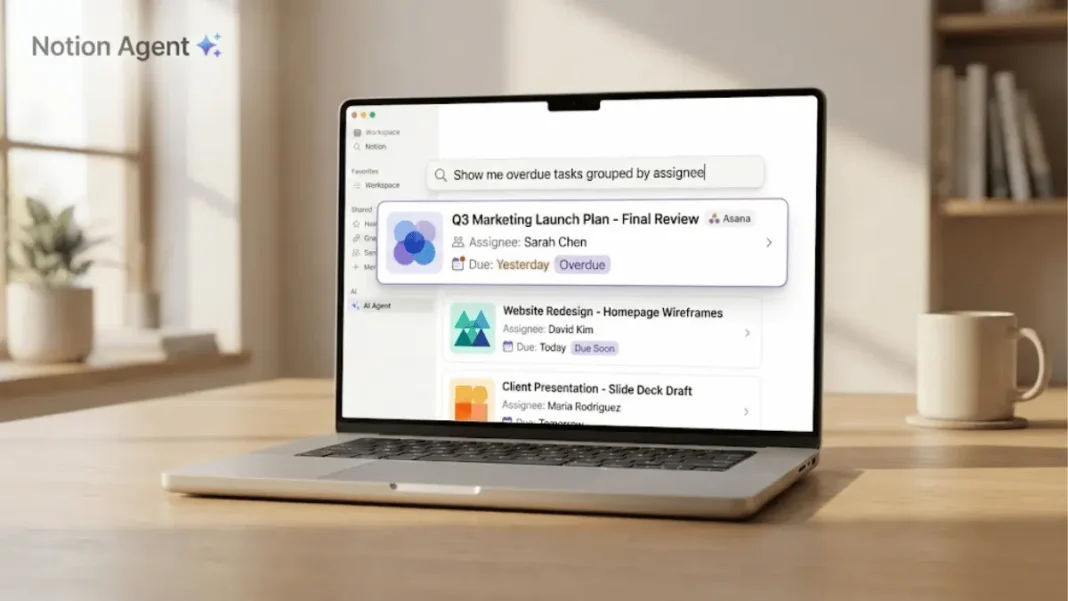
- Natural language queries like “Show me overdue tasks grouped by assignee” work instantly
- All searches respect existing Asana permissions no additional access granted
- Initial connector setup indexes up to 1 year of Asana data within 72 hours
Notion eliminated the friction between productivity tools on February 4, 2026. The Notion Agent gained the ability to search Asana projects and tasks through a new AI Connector with no manual syncing, no switching tabs. Teams managing work across both platforms can now query Asana data using conversational language directly inside Notion, transforming how distributed workflows operate.
How Notion Agent Searches Asana Tasks
The AI Connector processes natural language requests and returns structured Asana data. Users ask questions like “List open tasks for Project X and flag what’s blocked” or “Show me overdue tasks grouped by assignee,” and Notion Agent retrieves the information.
This eliminates the need to open Asana separately for status checks, blockers identification, and deadline reviews. The system maintains Asana’s permission structure users only see tasks and projects they already have access to in Asana.
What makes Notion’s AI Connector different from previous Asana integrations?
Previous integrations required creating synced databases or manually importing data with one-directional updates. The AI Connector uses conversational search powered by Notion Agent. You don’t create database connections or paste links, you ask questions in plain English and receive results formatted by the AI.

Real-World Use Cases
The connector addresses workflow scenarios where teams historically switched between platforms:
- Cross-platform status updates – Project managers checking Asana task progress while documenting in Notion can query directly. Questions like “What tasks are due this week in the Marketing Campaign?” return instant results without leaving Notion.
- Bottleneck identification – Engineering leads can ask “Show blocked tasks across all projects” to surface impediments without manual Asana filtering.
- Assignee workload checks – Team leads verify capacity by querying “List John’s open tasks grouped by project” before assigning new work.
Each scenario reduces context switching between applications, allowing teams to maintain focus within their primary documentation environment.
Technical Requirements and Setup
The Asana AI Connector requires a Notion Business or Enterprise plan with AI features. Notion 3.2, released January 20, 2026, includes this connector functionality.
Setup process:
- Navigate to Notion workspace settings and select “AI Connectors”
- Choose “Asana” from the available integrations list
- Authenticate with your Asana account credentials
- Grant permission for Notion to read Asana projects and tasks
- The connector begins indexing your Asana data
The initial sync indexes up to 1 year of historical Asana data and can take up to 72 hours to complete. The connector respects Asana’s existing permission hierarchy if a user lacks access to specific Asana projects, those projects won’t appear in Notion Agent searches.
| Feature | AI Connector | Synced Database | Manual Import |
|---|---|---|---|
| Search method | Natural language AI | Database filters | Static snapshot |
| Update frequency | Syncs automatically | Real-time sync | One-time only |
| Permission control | Inherits Asana rules | Inherits Asana rules | Notion-controlled |
| Initial setup time | Up to 72 hours | Minutes | Varies |
| Query flexibility | Conversational | Filter-based | None |
Search Capabilities and Query Examples
Notion Agent understands context-rich queries beyond simple keyword matching. The AI interprets intent and returns grouped, filtered results.
Effective query patterns include:
- Temporal filters – “Show tasks due next week in Project Alpha”
- Status-based requests – “List all incomplete tasks assigned to Sarah”
- Hierarchical searches – “Find subtasks under Bug Fixes project marked high priority”
- Grouping commands – “Display overdue tasks grouped by assignee”
The system processes natural language queries and returns results formatted for quick scanning. Users can refine searches by adding constraints like date ranges, assignee names, or project tags.
How long does initial setup take?
The connector indexes up to 1 year of Asana data during initial setup, which takes up to 72 hours. After the initial sync completes, searches reflect your Asana workspace data, though specific sync frequency for new tasks is not documented in public resources.
Integration Context: Notion’s 2026 AI Expansion
The Asana connector is part of Notion’s broader AI infrastructure rollout. Notion 3.2, launched January 20, 2026, introduced mobile AI notes, multiple model support (GPT-5.2, Claude Opus 4.5, Gemini 3), and expanded AI Connectors.
Other connectors available in Notion 3.2 include:
- Linear (issue tracking and project management)
- Outlook (email search)
- SharePoint and OneDrive (document search)
- Jira (issue tracking integration)
This connector ecosystem positions Notion as a unified interface layer across fragmented toolstacks. Teams using multiple SaaS platforms can centralize information retrieval without building custom integrations. The AI Agent acts as a query router, determining which connected tool contains the requested data and formatting results consistently.
Performance and Limitations
Testing and documentation reveal constraints users should anticipate:
Initial sync duration – The setup process indexes up to 1 year of historical data and takes up to 72 hours. Teams should plan connector deployment accordingly rather than expecting immediate availability.
Historical data scope – The connector looks back 1 year from the connection date. Older archived projects or tasks beyond that timeframe won’t appear in searches.
Permission synchronization – The connector respects Asana’s permission structure exactly. Changes to Asana permissions affect what users see in Notion searches based on the connector’s sync behavior.
Comparing Notion’s Integration Options
Notion offers three methods to connect Asana data, each suited to different workflows:
AI Connector – Designed for quick lookups and status checks without maintaining databases. Users who need Asana visibility periodically but don’t manage tasks in Notion benefit most. No ongoing database maintenance is required.
Synced Databases – Ideal for teams embedding Asana task lists in Notion documentation. Changes made in Asana reflect in Notion automatically. However, edits must happen in Asana synced databases are read-only in Notion. This option suits teams using Notion for project wikis and Asana for task execution.
Manual Import – Useful for historical snapshots or migrating completed projects into Notion archives. Imported data becomes static future Asana updates don’t propagate. This method works for post-project documentation or quarterly retrospectives.
Active teams often combine AI Connector (for ad-hoc searches) and Synced Databases (for embedded task views). Manual imports serve archival purposes primarily.
Enterprise Security and Permissions
The connector uses OAuth authentication, preventing credential storage in Notion systems. Users authenticate directly with Asana, and Notion receives access permissions based on this authentication.
All searches respect your existing Asana permissions. The connector provides access only to projects and tasks the authenticated user can already view in Asana. This security model prevents accidental data exposure across team boundaries.
Revoking OAuth access in Asana instantly disables Notion’s search capability without requiring changes inside Notion. This gives users direct control over integration permissions.
Setup Troubleshooting: Common Issues
Several problems occur during connector setup:
Authentication challenges – Some users experience repeated Asana login prompts. Clearing browser cache and cookies before re-authenticating can resolve authentication flows. Ensure popup blockers aren’t preventing the OAuth window from appearing.
Empty search results – If Asana tasks exist but don’t appear in Notion searches after the 72-hour initial sync completes, verify your Asana account permissions directly in Asana. The connector mirrors Asana’s permission structure if a project is invisible in Asana, it won’t appear via Notion searches.
Permission mismatches – Users seeing unexpected access limitations should confirm their Asana account permissions match their expectations. The connector provides exactly the same project visibility the user has in Asana.
Notion’s support handles connector-specific troubleshooting through the help center’s integration category.
Cost and Availability
The Asana AI Connector requires a Notion Business or Enterprise plan. As of February 2026, Notion pricing includes:
- Plus plan – $10 per user/month (annual) or $12/month (monthly billing)
- Business plan – Pricing varies by region; approximately $15-18 per user/month (annual) with AI features included
- Enterprise plan – Custom pricing with advanced connectors and unlimited AI usage
AI features are now included in Business and Enterprise plans without separate add-on costs. Free Notion accounts and Plus plans cannot use the Asana AI Connector.
Asana itself requires no specific plan tier the connector works with all Asana subscription levels, respecting whatever access the authenticated user has. No additional per-connector fees apply beyond the base Notion subscription.
What This Changes for Project Management Workflows
The connector addresses workflow fragmentation: teams splitting work between documentation (Notion) and task management (Asana) no longer maintain separate mental models of two systems.
Product managers writing spec docs in Notion can verify task status mid-draft. Engineering leads reviewing technical roadmaps query blockers without opening Asana. Sprint retrospectives conducted in Notion pull real task data through natural language requests.
This integration doesn’t replace Asana, it makes Asana data portable. Teams continue managing tasks in Asana’s interface while consuming that data wherever they document, plan, or decide. The AI Connector turns Notion into a query layer, not a replacement task manager.
For organizations standardizing on Notion as a knowledge hub, the connector reduces tool-switching friction that interrupts workflows throughout the workday.

Frequently Asked Questions (FAQs)
Does the Asana AI Connector work on mobile?
Yes. Notion 3.2 introduced mobile AI support, including connector access. Users can query Asana tasks via Notion’s mobile app using the same natural language syntax available on desktop.
Can I edit Asana tasks through Notion Agent?
No. The connector provides read-only access. All task creation, status updates, and edits must happen directly in Asana. Notion displays current task states but doesn’t modify Asana data.
How many Asana workspaces can I connect?
Notion supports multiple Asana workspace connections per user. During setup, authenticate the workspaces you need access to Agent searches will span connected workspaces automatically.
Does this replace synced databases?
No. The AI Connector serves different use cases. Synced databases embed live Asana task lists in Notion pages for ongoing reference. The AI Connector handles ad-hoc searches without maintaining database views. Teams often use both methods.
What happens if I disconnect the integration?
Disconnecting removes search access immediately. No Asana data persists in Notion after disconnection previous search results don’t remain cached. Reconnecting restores access with the current Asana data state.
Which Notion plan do I need?
The Asana AI Connector requires a Notion Business or Enterprise plan. Plus and Free plans do not include AI Connector functionality.
Can guests in my Notion workspace search Asana?
Only if the guest has both appropriate Notion workspace permissions and a connected Asana account. Workspace admins control guest access levels separately from member access.
How far back does the connector search?
The connector indexes up to 1 year of Asana data from the connection date. Tasks and projects older than 1 year won’t appear in searches.

