

Quick Brief
- Apple released macOS 11.7.11 (build 20G1443) on February 2, 2026 over two years after Big Sur’s official support ended
- Update extends certification for iMessage, FaceTime, and device activation to prevent service disruption after January 2027
- Available through System Preferences > Software Update for Mac models from 2013-2017
- Simultaneous updates released for iOS 16, iPadOS 16, macOS Catalina, and multiple watchOS versions
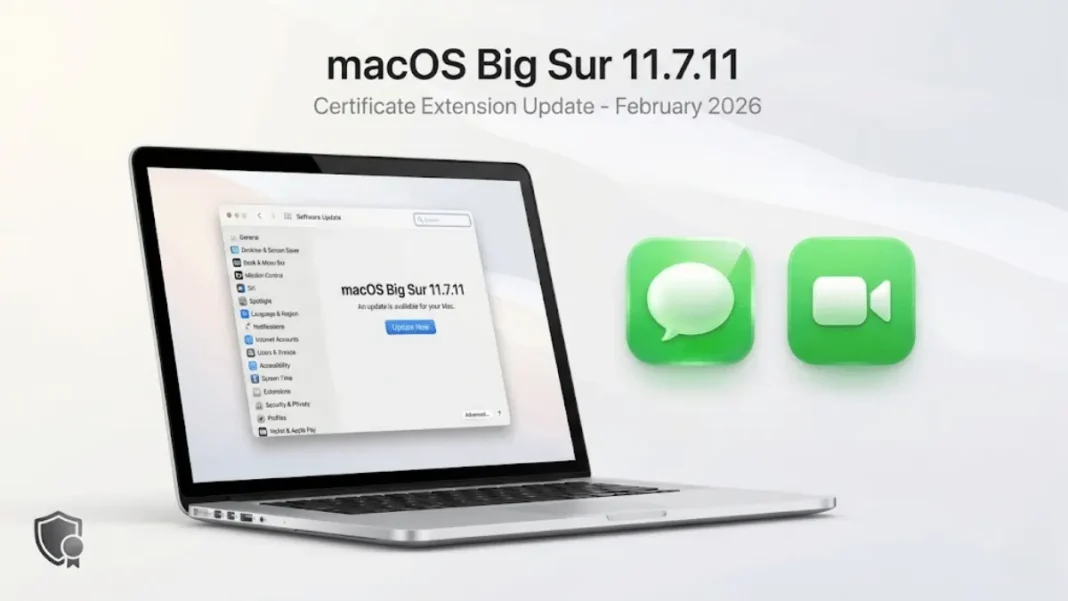
Apple defied expectations by releasing macOS Big Sur 11.7.11 on February 2, 2026 more than two years after the operating system’s official support ended. This surprise update addresses a critical certification issue that would disable iMessage and FaceTime after January 2027 for users running older Mac hardware. The release demonstrates Apple’s commitment to maintaining essential services even on legacy systems.
Why macOS 11.7.11 Exists After Official Support Ended
Big Sur’s formal support concluded in September 2023 when macOS Sonoma launched. Version 11.7.10 (released September 11, 2023) was expected to be the final update. Apple typically maintains three macOS versions simultaneously, leaving Big Sur outside the standard support window.
The 11.7.11 release breaks this pattern because Apple certificates for iMessage and FaceTime are set to expire in January 2027. Without renewed certification, these core communication services will fail silently users would find themselves unable to send messages or make video calls through Apple’s ecosystem. This update prevents that service blackout.
TidBITS editor Adam Engst confirmed: “The new certificates are set to expire in January 2029, so these updates should keep things working for at least another three years”. Apple proactively released this update nearly a year before the expiration deadline.

What Happens Without This Update
Users who skip macOS Big Sur 11.7.11 installation will experience iMessage and FaceTime failures after January 2027 when certificates expire. Device activation may also fail, creating problems when setting up or restoring Macs running Big Sur. The update doesn’t add features or fix vulnerabilities, it exclusively extends security certificates.
According to Macworld, “Without this update, your older Mac will lose the ability to use iMessage and FaceTime when the certificate expires in January 2027”.
Mac Models That Need This Update
Big Sur 11.7.11 targets Mac hardware that cannot upgrade to macOS Monterey or newer versions. Apple’s official compatibility list includes:
- MacBook (2015 and later)
- MacBook Air (2013 and later)
- MacBook Pro (Late 2013 and later)
- iMac (2014 and later)
- iMac Pro (2017, all models)
- Mac mini (2014 and later)
- Mac Pro (2013 and later)
AppleInsider reported that the update specifically targets “users with 2014 MacBook Pro models and 2014 iMacs” who cannot upgrade beyond Big Sur. Owners of these models face a choice: remain on Big Sur with periodic certificate updates like 11.7.11, or attempt unsupported upgrades using third-party tools.
How to Download and Install Big Sur 11.7.11
The installation process follows Apple’s standard update workflow:
- Back up your Mac using Time Machine before starting any system update
- Open System Preferences from the Apple menu
- Click Software Update
- Select “macOS Big Sur 11.7.11” when it appears
- Click Install Now and enter your administrator password
- Allow the Mac to restart to complete installation
The update is available immediately through Software Update on all compatible Macs. Apple recommends creating a backup before proceeding with any system update.
Installation requirements:
Apple officially requires 35.5 GB of free storage space when upgrading from macOS Sierra or later. If upgrading from OS X El Capitan or earlier, you need 44.5 GB of available storage. This space accommodates the installer, temporary extraction files, and the installed system.
Certificate Extensions: The Technical Reality
macOS 11.7.11 introduces renewed security certificates that authenticate communication between Apple services and your Mac. These certificates function like digital passports they verify your device’s legitimacy when connecting to iMessage, FaceTime, and activation servers.
Certificates contain expiration dates embedded in their code. When a certificate expires, services relying on it stop functioning immediately. Apple must issue new certificates before expiration and distribute them through system updates. The 11.7.11 update delivers these refreshed credentials to Big Sur users.
TidBITS notes: “The new certificates are set to expire in January 2029, providing at least three more years of service continuity”. This approach differs from feature updates or security patches Apple isn’t fixing vulnerabilities discovered in 2026.
Simultaneous Updates Across Apple’s Legacy Ecosystem
Apple coordinated macOS Big Sur 11.7.11 with equivalent updates for other legacy platforms on February 2, 2026:
- iOS 16.7.14 and iPadOS 16.7.14 for iPhone and iPad models
- watchOS 10.6.2 for Apple Watch Series 4-5
- watchOS 9.6.4 for Apple Watch Series 4
- watchOS 6.3.1 for Apple Watch Series 1-3
- macOS Catalina Security Update 2026-001 (build 19H4016) for even older Macs
OSXDaily confirmed: “All of these updates are available now through their respective Software Update mechanisms”. The macOS Catalina update was approximately 1.69 GB in size. This synchronized release demonstrates Apple’s infrastructure for maintaining certificate validity across multiple operating system generations simultaneously.
Security Implications: What 11.7.11 Doesn’t Fix
macOS Big Sur 11.7.11 contains no security vulnerability patches. AppleInsider explicitly stated: “The update does not contain any security fixes beyond the certificate extension”. Any CVEs (Common Vulnerabilities and Exposures) discovered after September 2023’s version 11.7.10 remain unaddressed.
Macworld emphasized: “This is purely a certificate extension update don’t expect any security patches or new features”. Apple’s selective patching leaves Big Sur users exposed to documented vulnerabilities discovered after official support ended.
Risk assessment for Big Sur users:
Continuing to use macOS 11.7.11 means operating without protection against post-2023 security threats. Users should implement additional security measures: maintaining active antivirus software, avoiding suspicious downloads, and using VPNs on public networks. Big Sur remains functional but not secure by 2026 standards.
Should You Stay on Big Sur or Upgrade?
The decision depends on your Mac’s hardware compatibility and risk tolerance. If your Mac supports macOS Monterey (released October 2021) or newer, upgrade immediately. According to endoflife.date, Monterey’s support ended on October 1, 2024, while Ventura remains supported through September 29, 2025.
For Macs limited to Big Sur by hardware constraints, you have three options:
- Continue using Big Sur with 11.7.11: Accept security risks while maintaining iMessage and FaceTime functionality through 2027
- Use third-party patching tools: Install unsupported macOS versions on incompatible hardware this requires technical expertise
- Replace your Mac: Invest in newer hardware that supports current macOS versions with full security coverage
Apple’s release of 11.7.11 suggests the company may issue additional certificate extensions in future years. TidBITS noted: “The pattern established with these legacy updates suggests Apple will continue supporting basic services for several more years”.
What Big Sur Users Can Expect Going Forward
Apple will likely release additional certificate extension updates when the current certificates approach expiration in 2029. The pattern established with watchOS updates some reaching back to Series 1 models suggests Apple maintains certificate infrastructure for older operating systems.
However, third-party software support will gradually disappear. Browser developers, productivity apps, and creative tools typically support only the three most recent macOS versions. Big Sur users already face compatibility issues with 2026 application releases.
Storage and Installation Requirements
Apple officially requires 35.5 GB of free space when upgrading from macOS Sierra or later. This requirement accounts for the installer, temporary extraction files, and the installed system. Users upgrading from OS X El Capitan or earlier need 44.5 GB of available storage.
After installation, macOS Big Sur occupies approximately 14.94 GB of storage. The operating system needs an additional 5-10 GB of extra space for routine operations and temporary files.
Limitations and Considerations
macOS 11.7.11 provides certificate extension only no performance improvements, bug fixes, or feature additions. Users experiencing Big Sur issues (slow performance, app crashes, connectivity problems) will find those problems persist after updating.
The update targets a narrow use case: maintaining iMessage and FaceTime functionality beyond January 2027. Device activation also relies on these certificates, creating potential problems during Mac restoration or setup if the update is skipped.

Frequently Asked Questions (FAQs)
Is macOS Big Sur 11.7.11 safe to install?
Yes, macOS Big Sur 11.7.11 is safe to install and contains only certificate extensions for iMessage and FaceTime services. Apple released this update through official Software Update channels on February 2, 2026. However, it does not patch security vulnerabilities discovered after September 2023.
Why did Apple release an update for Big Sur after support ended?
Apple released macOS 11.7.11 to prevent iMessage and FaceTime service failures caused by expiring certificates in January 2027. This maintains critical communication functionality for Mac models from 2013-2017 that cannot upgrade to newer operating systems.
Will my Mac get future updates after installing 11.7.11?
macOS Big Sur will likely receive additional certificate extension updates when current certificates near expiration in 2029. However, Apple will not provide security patches or feature additions beyond certificate renewals. TidBITS confirmed the new certificates extend service through January 2029.
How do I check if I need macOS 11.7.11?
Open System Preferences > Software Update on your Mac. If you’re running Big Sur 11.7.10 or earlier, the 11.7.11 update will appear. Install it to maintain iMessage and FaceTime functionality beyond January 2027.
What happens if I don’t install Big Sur 11.7.11?
Without macOS 11.7.11, iMessage and FaceTime will stop working after January 2027 when certificates expire. Device activation may also fail, preventing Mac setup or restoration. Macworld confirmed: “Your older Mac will lose the ability to use iMessage and FaceTime when the certificate expires”.
Can I upgrade from Big Sur to a newer macOS version?
Only if your Mac hardware supports it. Macs from 2013-2014 generally cannot run macOS Monterey or newer versions through official means. Check Apple’s compatibility documentation to verify if your specific Mac model can upgrade beyond Big Sur.
Does Big Sur 11.7.11 include security patches?
No, macOS Big Sur 11.7.11 contains no security vulnerability fixes. AppleInsider explicitly stated: “The update does not contain any security fixes beyond the certificate extension”. Any vulnerabilities discovered after September 2023 remain unpatched on Big Sur.
How much storage space do I need for Big Sur 11.7.11?
Apple requires 35.5 GB of free storage when upgrading from macOS Sierra or later. If upgrading from OS X El Capitan or earlier, you need 44.5 GB of available storage. After installation, macOS Big Sur occupies approximately 14.94 GB.

