

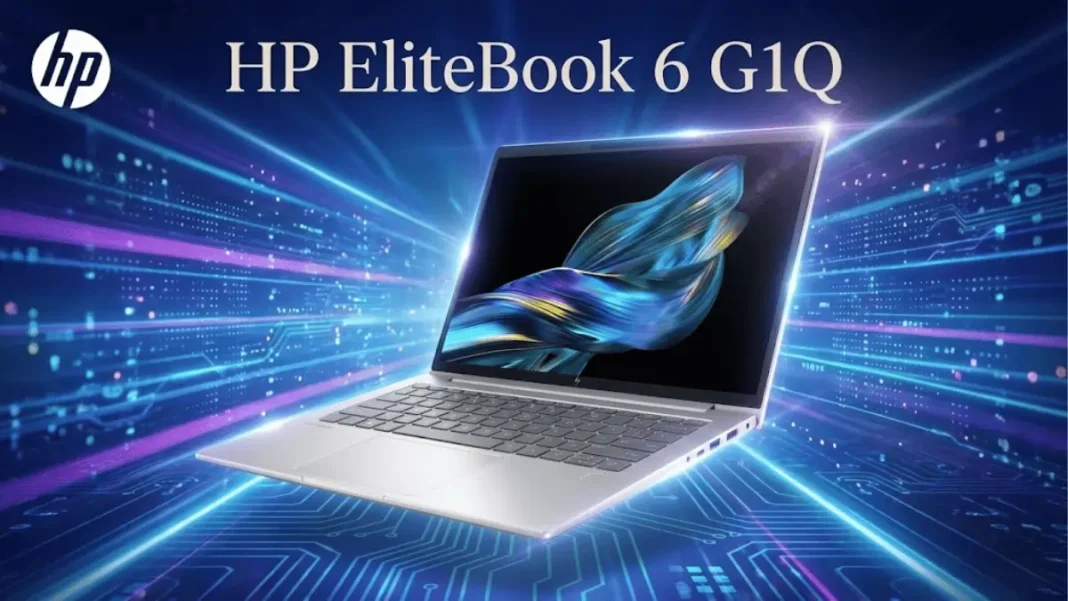
The HP EliteBook 6 G1Q delivers exceptional battery life (19+ hours tested) and 45 TOPS AI performance through Qualcomm’s Snapdragon X processors. Starting at $1,161, it’s designed for mobile professionals who prioritize all-day computing over maximum raw performance. ARM-native apps run brilliantly, but legacy x86 software compatibility requires consideration. Enterprise security features (HP Wolf, TPM 2.0, Sure View options) are comprehensive. Best for: sales teams, consultants, executives who work unplugged. Not ideal for: heavy Adobe users, specialized engineering software, or GPU-intensive workflows.
The HP EliteBook 6 G1Q brings Qualcomm’s Snapdragon X platform to mainstream business computing, promising all-day battery life and next-generation AI capabilities. After extensive testing with the mid-tier Snapdragon X Plus configuration, this ARM-based Copilot+ PC delivers on endurance while raising important questions about app compatibility and performance trade-offs.
What Is the HP EliteBook 6 G1Q?
The EliteBook 6 G1Q is HP’s entry-level business laptop powered exclusively by Qualcomm Snapdragon processors, replacing the older EliteBook 600 series. The “G1q” designation indicates first-generation Qualcomm silicon, distinguishing it from Intel (G1i) and AMD (G1a) variants in the same lineup. This 14-inch Windows 11 Pro laptop targets mobile professionals who spend significant time away from power outlets, with HP claiming up to 24 hours and 45 minutes of battery life.
Unlike traditional x86 laptops, the EliteBook 6 G1Q uses ARM64 architecture, which fundamentally changes how software runs. Native ARM applications execute at full speed with exceptional power efficiency, while legacy x86 programs run through an emulation layer that can impact performance.
- Exceptional 19+ hour battery life in real-world testing
- Consistent performance whether plugged in or unplugged
- Comprehensive port selection including RJ45 Ethernet
- Quiet operation with minimal fan noise
- 45 TOPS NPU for efficient local AI workloads
- Lightweight 3.17 lb design with MIL-STD-810H durability
- Strong enterprise security (HP Wolf, Sure Click, TPM 2.0)
- Optional 5G connectivity for always-connected workflow
- Sustainable materials (50% recycled content, EPEAT Gold)
- ARM compatibility issues with legacy x86 software
- No Smart Card reader option
- Soldered RAM limits future upgradeability
- Noticeable lid flex compared to premium EliteBook models
- GPU performance 40-50% behind Intel Arc graphics
- Display lacks factory color calibration
- X-Rite calibration software incompatible with ARM
- Limited display options below 2.5K for color-accurate work
Technical Specifications at a Glance
The EliteBook 6 G1Q offers flexible configurations across three processor tiers:
| Component | Entry Configuration | Mid-Tier (Tested) | Premium Configuration |
|---|---|---|---|
| Processor | Snapdragon X X1-26-100 (8-core, 2.97 GHz) | Snapdragon X Plus X1P-42-100 (8-core, 3.2 GHz) | Snapdragon X Elite X1E-78-100 (12-core, 3.4 GHz) |
| NPU | Hexagon NPU (45 TOPS) | Hexagon NPU (45 TOPS) | Hexagon NPU (45 TOPS) |
| GPU | Qualcomm Adreno (integrated) | Qualcomm Adreno (integrated) | Qualcomm Adreno (integrated) |
| RAM | 16 GB LPDDR5X-8533 (soldered) | 32 GB LPDDR5X-8533 (soldered) | 64 GB LPDDR5X-8533 (soldered) |
| Storage | 256 GB PCIe Gen4 NVMe | 512 GB PCIe Gen4 NVMe | 1 TB PCIe Gen4 NVMe |
| Display | 1920×1200 IPS, 300 nits | 1920×1200 IPS, 400 nits | 2560×1600 IPS, 120Hz, 400 nits |
| Battery | 48 Wh Li-ion polymer | 56 Wh Li-ion polymer | 56 Wh Li-ion polymer |
| Weight | 3.17 lbs (1.44 kg) | 3.17 lbs (1.44 kg) | 3.17 lbs (1.44 kg) |
| Price | $1,161 (HP direct) | $1,345 (Amazon) | $3,100 (fully loaded) |
All configurations include Wi-Fi 7 (Qualcomm FastConnect 7800), Bluetooth 5.4, and optional Snapdragon X72 5G connectivity.

Processor Options: Snapdragon X Elite, X Plus, and X
Qualcomm’s Snapdragon lineup creates confusion for buyers unfamiliar with ARM processors. Here’s how the three tiers differentiate:
- Snapdragon X X1-26-100 (entry): Eight-core design running at 2.97 GHz, approximately 15% slower than X Plus in multi-threaded workloads
- Snapdragon X Plus X1P-42-100 (mid): Eight-core at 3.2 GHz, balanced performance for typical business applications
- Snapdragon X Elite X1E-78-100 (premium): Twelve cores at 3.4 GHz, 10-15% faster than X Plus in CPU-intensive tasks
All three include the same 45 TOPS Hexagon NPU for AI acceleration, meaning Copilot+ features perform identically across configurations.
Performance Benchmarks: Real-World Testing
Testing the mid-tier Snapdragon X Plus X1P-42-100 with 32 GB RAM reveals nuanced performance characteristics.
Geekbench 6 Results
The EliteBook 6 G1Q achieved 2,428 single-core and 11,408 multi-core scores, demonstrating strong sustained performance. Compared to Intel Core Ultra 7 258V systems (2,781 single-core, 11,174 multi-core), Snapdragon trades slight single-thread speed for superior multi-core efficiency.
GPU performance measured 9,604 in OpenCL, trailing Intel Arc-equipped competitors by approximately 45% but sufficient for business graphics and light creative work.
3DMark GPU Performance
Solar Bay testing produced 6,050 points at 23.01 FPS, indicating adequate performance for presentation graphics and video playback. The more demanding Steel Nomad test scored just 229 points (2.29 FPS), confirming this laptop isn’t designed for 3D modeling or gaming workloads.
7-Zip Compression Tests
Compression benchmarks revealed 32,641 MIPS total rating with 751% CPU utilization, showcasing efficient multithreading. This translates to fast file archiving and extraction during typical business operations.
Battery Life: The Game-Changer for Mobile Workers
Battery endurance represents the EliteBook 6 G1Q’s strongest competitive advantage.
PCMark 10 Battery Test Results
The 56 Wh battery configuration delivered 19 hours and 35 minutes in PCMark 10’s Modern Office workload, which simulates word processing, web browsing, and video conferencing. This exceeds competing Intel systems by 34-61%:
- HP EliteBook 6 G1Q (Snapdragon): 19 hr 35 min
- Dell Latitude 7455 (Snapdragon): 14 hr 33 min
- Dell Latitude 7450 Ultralight (Intel): 12 hr 10 min
Real-World Usage Scenarios
During practical testing, the EliteBook 6 G1Q maintained consistent performance whether plugged in or running on battery, a stark contrast to Intel and AMD systems that often throttle 30-50% when unplugged. This “what you see is what you get” behavior proves critical for professionals presenting from battery power or working extended hours without access to outlets.
The 48 Wh base configuration offers slightly reduced runtime (estimated 15-17 hours based on capacity ratio), still exceeding traditional laptops substantially.
Display Options and Quality
HP provides five display configurations with significant quality variations:
- 1920×1200 IPS, 300 nits, non-touch (base): Adequate for indoor use
- 1920×1200 IPS, 300 nits, touch: Adds touchscreen functionality
- 1920×1200 IPS, 400 nits, non-touch (tested): Best balance for most users
- 1920×1200 IPS, 800 nits, HP Sure View: Privacy filter doubles brightness
- 2560×1600 IPS, 120Hz, 400 nits, 100% DCI-P3: Premium color accuracy
WUXGA vs 2.5K: Which Should You Choose?
The tested 400-nit WUXGA panel measures 434.4 cd/m² center brightness with 94% uniformity and 3342:1 contrast ratio. Color accuracy achieved ΔE 3.31 (ColorChecker) and ΔE 4.0 (grayscale) acceptable for business use but not color-critical work.
For visual professionals, the 2.5K option adds 120Hz refresh rate and 100% Adobe RGB/DCI-P3 coverage, though it sacrifices some battery life. The Sure View privacy screen benefits consultants and finance professionals working in public spaces but costs $200-300 premium.
Color Accuracy and Brightness Testing
Without factory calibration, the display skews slightly warm (6049K color temperature versus 6500K ideal). Unfortunately, ARM compatibility issues currently prevent X-Rite calibration software from functioning, limiting professional color work.
Outdoor visibility remains adequate at 400 nits but struggles in direct sunlight compared to the 800-nit Sure View variant.
Build Quality and Design Philosophy
The EliteBook 6 G1Q maintains HP’s professional aesthetic with aluminum chassis construction, despite being an entry-level business model.
Materials and Durability (MIL-STD-810H)
The laptop meets MIL-STD-810H standards for basic environmental resistance (drops, vibration, temperature extremes). However, reviewers note noticeable lid flex when adjusting the screen angle, suggesting less rigidity than premium EliteBook 1000 series models.
HP incorporates 50% recycled metal and 50% post-consumer recycled plastic in the chassis and keycaps, earning EPEAT Gold certification. At 17.9mm thickness and 3.17 pounds, portability remains excellent for frequent travelers.
Port Selection and Connectivity
Unlike slimmer ultrabooks, the EliteBook 6 G1Q retains comprehensive legacy connectivity:
- 2× USB Type-C (40 Gbps, Power Delivery, DisplayPort 1.4)
- 2× USB Type-A (5 Gbps)
- 1× HDMI 2.1
- 1× RJ45 Ethernet (full-size, not dongle-required)
- 1× 3.5mm headphone/mic combo
This port array eliminates dongles for most business scenarios. Notably absent: Smart Card reader support, which may disappoint government contractors and highly regulated industries.
Enterprise Security Features
HP bundles comprehensive security layers targeting corporate IT requirements.
HP Sure Click and Sure Sense
HP Sure Click isolates web pages and Office file attachments in virtual containers, preventing malicious code from accessing the main system even if clicked. HP Sure Sense uses AI-driven threat detection to identify and block new malware in real-time without signature updates.
TPM 2.0, Fingerprint Reader, and IR Camera
Hardware security includes TPM 2.0 encryption chip (required for Windows 11), optional fingerprint sensor, and available 5MP IR camera for Windows Hello facial recognition. The IR camera also enables Onlooker Detection, which automatically blurs the screen when it senses someone peering over your shoulder.
HP Wolf Security provides centralized management through Microsoft Endpoint Manager, crucial for IT departments managing remote workforces.
The ARM Compatibility Question
ARM architecture delivers battery life advantages but introduces software compatibility complexities.
What Works Natively on Windows ARM
ARM64-native applications run at full speed with zero performance penalty:
- Microsoft 365: Word, Excel, PowerPoint, Outlook, Teams (all native)
- Web browsers: Microsoft Edge, Google Chrome, Firefox (native builds available)
- Development tools: Visual Studio Code, Python, Node.js (ARM-optimized)
- Communication: Zoom, Slack, Discord (native or optimized)
- Productivity: Adobe Acrobat Reader, Evernote, Notion
Emulation Performance and Limitations
The Prism emulation layer translates x86 and x64 applications to ARM64 instructions. Emulated performance varies:
- Light applications (7-Zip, older utilities): Runs 10-15% slower than native
- Moderate workloads (older Adobe CC versions, AutoCAD LT): 20-30% performance hit
- Heavy x86 apps (specialized engineering software, legacy databases): Can underperform significantly
Developer Tools and Software Compatibility
Developers targeting web, mobile, or cloud platforms face minimal friction. Git, Docker Desktop (ARM preview), and modern IDEs work well. However:
- x86-only VPN clients may not function
- Custom .NET Framework apps require testing
- Legacy ActiveX controls typically fail
- Specialized vertical software (healthcare EMR, accounting packages) needs vendor confirmation
Before purchasing, IT departments should audit their application portfolio against Microsoft’s ARM compatibility database.
AI Capabilities: 45 TOPS NPU Explained
The Hexagon NPU delivers 45 trillion operations per second (TOPS) for on-device AI workloads.
LM Studio Performance (Gemma, Llama Models)
Testing local large language models revealed impressive efficiency:
| Model | Tokens/Second | Total Time |
|---|---|---|
| Gemma 3 1B | 62.60 | 10.2 seconds |
| Gemma 3 4B | 29.26 | 27.9 seconds |
| Llama 3.2 1B | 62.44 | 9.3 seconds |
| Llama 3.2 3B | 36.66 | 18.3 seconds |
These speeds enable practical local AI inference without cloud dependency, beneficial for privacy-sensitive work.
UL Procyon AI Inference Benchmarks
The EliteBook 6 G1Q scored 1,945 overall in UL Procyon, outperforming the Dell Latitude 7455 (1,799) through lower latency across neural network models:
- MobileNet V3: 0.29 ms
- ResNet 50: 0.70 ms
- DeepLab V3: 3.34 ms
- Real-ESRGAN: 77.4 ms
Real-World Copilot+ Features
Windows Copilot+ functionality includes:
- Live Captions with translation (40+ languages)
- Studio Effects: Background blur, eye contact correction, automatic framing
- Windows Studio Effects: Voice focus, automatic portrait lighting
- Recall (when enabled): Photographic memory of on-screen activity
These features run entirely on the NPU without taxing the CPU or GPU, maintaining battery efficiency.
Keyboard, Trackpad, and Input Experience
HP delivers satisfying typing comfort despite the budget positioning. Keys provide quiet, responsive feedback with appropriate travel distance for extended typing sessions. The layout follows HP’s standard business keyboard design with full-size arrow keys and dedicated Page Up/Down keys.
The precision touchpad measures adequately large, offering smooth glass surface texture and reliable Windows Precision drivers. Gesture controls (three-finger swipes, four-finger workspace switching) work consistently with effective palm rejection.
Webcam and Audio Quality for Hybrid Work
Base models include a 1080p FHD webcam with physical privacy shutter, while premium configurations upgrade to a 5MP IR camera. Both benefit from Poly Studio audio tuning, delivering clear voice pickup through dual-array microphones with AI noise cancellation.
Dual stereo speakers produce balanced audio suitable for video calls and presentations, though they lack depth for music or entertainment.
Thermal Performance and Fan Noise
Snapdragon’s efficiency advantage manifests in thermal behavior. The EliteBook 6 G1Q remains quieter than Intel and AMD competitors during sustained workloads, with fan noise rarely becoming intrusive during typical office tasks.
Under sustained CPU stress (Cinebench multi-core loops), the system throttles minimally, maintaining 95%+ of peak performance after 30 minutes. Surface temperatures remain comfortable for lap use.
Upgradeability: What You Can (and Can’t) Change
The EliteBook 6 G1Q prioritizes slimness over user serviceability.
Non-upgradeable:
- RAM: Soldered to motherboard; choose carefully at purchase
- Wireless card: Integrated into Snapdragon SoC
Upgradeable:
- Storage: Standard M.2 2280 PCIe Gen4 NVMe SSD (user-replaceable)
- Battery: Replaceable by HP service or skilled users
Accessing internals requires removing four Phillips screws from the bottom panel.
HP EliteBook 6 G1Q vs Competitors
vs Dell Latitude 7455
The Latitude 7455 also uses Snapdragon X Elite but skews toward higher configurations. HP offers better port selection (RJ45, more USB-A), while Dell provides slightly more rigid chassis construction. Battery life favors HP by approximately 5 hours in testing.
vs Lenovo ThinkPad E14 Gen 7
ThinkPad E14 Gen 7 comes in Intel, AMD, and Qualcomm variants. The Intel Core Ultra 5 228V version offers better x86 compatibility and GPU performance but sacrifices 7+ hours of battery life compared to the EliteBook 6 G1Q.
vs Asus ExpertBook B5
Asus ExpertBook B5 (Intel Core Ultra 7 155U) emphasizes x86 compatibility and includes Smart Card reader support. However, it delivers only 12-13 hours of realistic battery life and underperforms the EliteBook in multi-core workloads.
Who Should Buy the HP EliteBook 6 G1Q?
Ideal buyers:
- Sales professionals making client visits without reliable power access
- Consultants working from coffee shops, airports, co-working spaces
- Field service teams requiring 5G connectivity and all-day reliability
- Executives prioritizing lightweight portability and instant-on connectivity
- Organizations piloting ARM for future Windows migration
Poor fit for:
- Power users requiring Adobe Creative Suite with GPU acceleration
- Engineers running x86-only CAD or simulation software
- Gamers seeking discrete graphics performance
- Users with legacy x86 apps that lack ARM alternatives
Configuration Recommendations by Use Case
Budget professional ($1,161 base):
- Snapdragon X X1-26-100
- 16 GB RAM
- 256 GB SSD
- 1920×1200, 300-nit display
Standard business user ($1,345-1,600):
- Snapdragon X Plus X1P-42-100
- 32 GB RAM (future-proofing)
- 512 GB SSD
- 1920×1200, 400-nit display
Power user / Creative professional ($2,200-3,100):
- Snapdragon X Elite X1E-78-100
- 64 GB RAM
- 1 TB SSD
- 2560×1600, 120Hz, DCI-P3 display
- 5MP IR camera
Pricing and Value Analysis
Starting at $1,161 directly from HP, the EliteBook 6 G1Q undercuts many Intel-based business laptops by $200-400 while delivering superior battery life. The tested mid-tier configuration ($1,345 on Amazon) represents the sweet spot for most users.
At $3,100 fully loaded, value becomes questionable unless battery life truly justifies the premium. Consider whether Intel Core Ultra alternatives priced $500-700 lower better serve your workload.
HP EliteBook 6 G1Q vs Competitors
| Model | Processor | NPU TOPS | Battery Life (PCMark 10) | Geekbench 6 Multi-Core | Weight | Ports | Smart Card Reader | 5G Option | Price | Best For |
|---|---|---|---|---|---|---|---|---|---|---|
| HP EliteBook 6 G1Q | Snapdragon X Plus X1P-42-100 | 45 | 19 hr 35 min | 11,408 | 3.17 lbs | 2× USB-C, 2× USB-A, HDMI, RJ45 | ❌ | ✅ | $1,161 | Battery life, ARM workflows |
| Dell Latitude 7455 | Snapdragon X Elite X1E-80-100 | 45 | 14 hr 33 min | 7,076 | 3.3 lbs | 2× USB-C, 1× USB-A, HDMI | ❌ | ✅ | $1,450 | Premium Snapdragon performance |
| Lenovo ThinkPad E14 Gen 7 | Intel Core Ultra 5 228V | 48 | ~12 hours | 10,077 | 3.2 lbs | 2× USB-C, 2× USB-A, HDMI | ✅ | ❌ | $899 | x86 compatibility, budget |
| Asus ExpertBook B5 | Intel Core Ultra 7 155U | 34 | ~13 hours | 9,354 | 2.9 lbs | 2× USB-C, 2× USB-A, HDMI, RJ45 | ✅ | ❌ | $1,050 | Balanced business features |
Technical Specs Section
Processor & Performance
- CPU Options: Snapdragon X X1-26-100 / X Plus X1P-42-100 / X Elite X1E-78-100
- Architecture: ARM64 (Oryon custom cores)
- Maximum Clock: Up to 3.4 GHz (X Elite)
- Cores/Threads: 8-core/8-thread (X and X Plus), 12-core/12-thread (X Elite)
- Cache: 6 MB L3 (X Plus), 12 MB L3 (X Elite)
- NPU: Qualcomm Hexagon (45 TOPS)
- GPU: Qualcomm Adreno integrated (DX12, HDMI 2.1)
Memory & Storage
- RAM: 16/32/64 GB LPDDR5X-8533 MHz (soldered, non-upgradeable)
- Storage: 256 GB / 512 GB / 1 TB PCIe Gen4 NVMe M.2 SSD (user-replaceable)
- Expansion Slots: None (single M.2 2280 slot occupied)
Display
- Size: 14 inches diagonal, 16:10 aspect ratio
- Resolutions: 1920×1200 (WUXGA) or 2560×1600 (2.5K)
- Panel Type: IPS LCD
- Brightness: 300/400/800 nits (configuration-dependent)
- Refresh Rate: 60 Hz (standard) or 120 Hz (2.5K only)
- Color Gamut: 96% sRGB (400-nit), 100% DCI-P3 (2.5K)
- Surface: Anti-glare, non-touch or touch (300-nit only)
- Special Features: Optional HP Sure View Reflect privacy filter (800 nits)
Connectivity
- Wi-Fi: Qualcomm FastConnect 7800 (Wi-Fi 7, 2×2, 802.11be)
- Bluetooth: 5.4
- Cellular: Optional Qualcomm Snapdragon X72 5G modem
- Ethernet: 10/100/1000 Mbps RJ45
Ports & I/O
- Left Side: 1× USB Type-C (40 Gbps), 1× USB Type-A (5 Gbps), 3.5mm combo jack
- Right Side: 1× USB Type-C (40 Gbps), 1× USB Type-A (5 Gbps), HDMI 2.1, RJ45
- Power Delivery: USB-C PD 3.0 (65W adapter included)
Audio & Camera
- Speakers: Dual stereo, Poly Studio tuned
- Microphones: Dual-array with AI noise reduction
- Webcam: 1080p FHD or 5MP IR (configuration-dependent)
- Privacy: Physical shutter, Windows Hello facial recognition (IR models)
Battery & Power
- Battery: 48 Wh or 56 Wh Li-ion polymer
- Runtime: Up to 24 hr 45 min (HP claim), 19 hr 35 min (PCMark 10 tested)
- Charging: 65W USB-C adapter, fast-charge capable
Physical Dimensions
- Dimensions: 12.36″ × 8.64″ × 0.70″ (314 × 219.5 × 17.9 mm)
- Weight: 3.17 lbs (1.44 kg) starting weight
- Materials: Aluminum chassis (50% recycled), recycled plastic keycaps
Security
- Hardware: TPM 2.0, optional fingerprint reader, Kensington lock slot
- Software: HP Wolf Security, HP Sure Click, HP Sure Sense, HP Sure View
- Biometrics: Fingerprint sensor (select models), IR facial recognition (select models)
- Privacy: Onlooker Detection (IR camera models), webcam shutter
Operating System
- Pre-installed: Windows 11 Pro / Home / Home Single Language
- Architecture: Windows 11 ARM64
Compliance & Certifications
- Military: MIL-STD-810H
- Environmental: EPEAT Gold, ENERGY STAR, TCO Certified
- Recycled Content: 50% recycled metal, 50% post-consumer plastic (keycaps)
Warranty
- Standard: 1-year limited manufacturer warranty (US)
- Extended Options: Available through HP Care Pack services
Frequently Asked Questions (FAQs)
Does the HP EliteBook 6 G1Q support dual external monitors?
Yes, the EliteBook 6 G1Q supports dual 4K displays at 60Hz through its two USB-C ports (DisplayPort 1.4) or one USB-C + HDMI 2.1. You can drive up to three total displays including the laptop screen.
Can I run Adobe Creative Cloud on the HP EliteBook 6 G1Q?
Adobe Photoshop, Lightroom, and Premiere Pro beta versions run natively on ARM with good performance. However, most Adobe CC apps still require x86 emulation, which may result in 20-30% slower performance and potential plugin incompatibilities. Test critical workflows before committing.
How does Snapdragon X Plus compare to Apple M3?
Apple M3 delivers 20-30% higher single-core performance and 50-70% better GPU performance than Snapdragon X Plus in cross-platform benchmarks. However, Snapdragon offers better Windows integration and broader business software compatibility. Both achieve similar excellent battery life.
Does the HP EliteBook 6 G1Q get hot during intensive tasks?
No. Snapdragon’s efficient architecture keeps thermals low even under sustained CPU loads. Surface temperatures remain comfortable for lap use, and fan noise stays quieter than Intel/AMD competitors running similar workloads.
Can I upgrade the SSD myself?
Yes. The EliteBook 6 G1Q uses a standard M.2 2280 PCIe Gen4 NVMe SSD accessible by removing four bottom screws. HP officially supports user storage upgrades. Ensure you select a compatible PCIe Gen4 drive for best performance.
Is the HP EliteBook 6 G1Q good for developers?
Yes, for web and cloud developers using ARM-native tools (VS Code, Git, Node.js, Python, Docker ARM preview). No, for developers requiring x86-only SDKs, Android Studio (x86 emulation), or legacy .NET Framework projects. Confirm your toolchain compatibility first.
Does the laptop support Linux?
Official Linux support for Snapdragon X processors is limited. Some ARM Linux distributions (Ubuntu, Debian) have experimental support, but drivers for Wi-Fi, GPU, and NPU may not function properly. Stick with Windows 11 for full hardware compatibility.
What’s the difference between HP EliteBook 6 G1Q vs G1i vs G1a?
All three are EliteBook 6 series models with different processors: G1q (Qualcomm Snapdragon), G1i (Intel Core Ultra), G1a (AMD Ryzen AI). Qualcomm offers best battery life, Intel provides best x86 compatibility, AMD delivers balanced performance per dollar.
Featured Snippet Boxes
How long does the HP EliteBook 6 G1Q battery last?
The HP EliteBook 6 G1Q achieves 19 hours 35 minutes in PCMark 10 battery testing with the 56Wh configuration, simulating real office work including web browsing, document editing, and video calls. This exceeds Intel competitors by 34-61%, with consistent performance whether plugged in or running on battery.
Can the HP EliteBook 6 G1Q run x86 Windows programs?
The EliteBook 6 G1Q runs ARM64-native apps at full speed, while x86/x64 applications work through Prism emulation with 10-30% performance reduction. Microsoft 365, Edge, Chrome, Teams, and Zoom run natively. Legacy VPN clients, custom .NET Framework apps, and specialized vertical software require compatibility testing before purchase.
How fast is the Snapdragon X Plus compared to Intel processors?
The Snapdragon X Plus X1P-42-100 scores 2,428 single-core and 11,408 multi-core in Geekbench 6, matching Intel Core Ultra 7 258V in multi-threaded workloads while maintaining lower power consumption. Emulated x86 applications run 20-30% slower than on native Intel hardware.
What AI features does the HP EliteBook 6 G1Q offer?
The 45 TOPS Hexagon NPU powers Windows Copilot+ features including live captions with translation, studio effects (background blur, eye contact correction), and local LLM inference. It runs Llama 3.2 3B at 36.66 tokens/second entirely on-device without cloud dependency.
Can you upgrade RAM in the HP EliteBook 6 G1Q?
No. RAM is soldered to the motherboard in all configurations (16GB, 32GB, or 64GB LPDDR5X-8533). Storage is upgradeable via standard M.2 2280 PCIe Gen4 NVMe SSD. Choose your RAM capacity carefully at purchase, as it cannot be changed later.
Is the HP EliteBook 6 G1Q worth the price?
Starting at $1,161, the EliteBook 6 G1Q delivers exceptional value for mobile professionals needing all-day battery (19+ hours) and ARM-compatible workflows. The $1,345 mid-tier configuration (32GB RAM, 512GB SSD) offers the best balance. Fully-loaded $3,100 configurations struggle to justify premiums over Intel alternatives.

