

Quick Brief
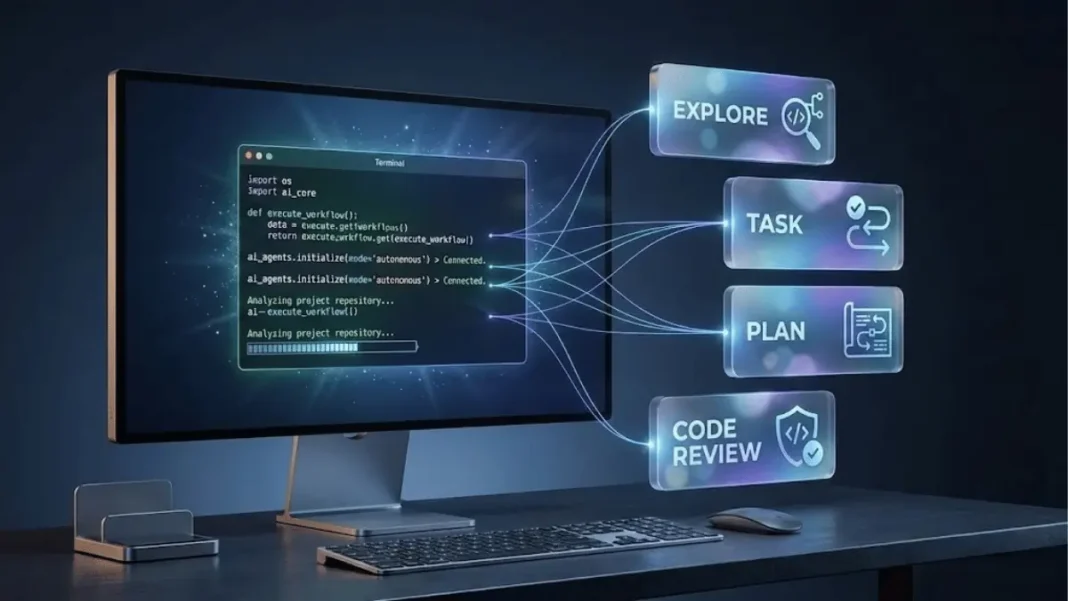
- The Launch: GitHub released enhanced Copilot CLI on January 14, 2026, with four built-in autonomous agents (Explore, Task, Plan, Code-review) and parallel execution capabilities for terminal-native development.
- The Impact: 180M+ GitHub developers gain access to autonomous coding agents that create pull requests, debug code, and execute multi-file changes without leaving the command line.
- The Context: Following September 2025’s public preview launch, GitHub positions CLI as infrastructure for agentic workflows, competing directly with Cursor and Windsurf in the AI-assisted development market.
GitHub announced on January 14, 2026, a major expansion of its Copilot CLI capabilities, introducing four specialized autonomous agents designed to execute complex development tasks directly in the terminal. The update transforms the command-line interface from a code suggestion tool into a full-featured agentic system capable of analyzing codebases, running tests, creating implementation plans, and conducting code reviews without context switching.
Four Specialized Agents Transform Terminal Development
GitHub deployed four purpose-built agents within Copilot CLI, each targeting specific development workflows. The Explore agent conducts rapid codebase analysis, allowing developers to query code structure without cluttering their main context window. The Task agent autonomously runs commands including tests and builds, delivering brief summaries on success and full output on failure.
The Plan agent generates implementation roadmaps by analyzing dependencies and project structure, while the Code-review agent evaluates changes with a high signal-to-noise ratio, surfacing only genuine issues. Copilot CLI delegates to these agents automatically based on user requests and can execute multiple agents in parallel for faster workflow completion.

From Public Preview to Production: The Copilot CLI Roadmap
GitHub launched Copilot CLI in public preview on September 25, 2025, positioning it as a terminal-native alternative to IDE-based AI assistants. The initial release introduced three operational modes: Ask mode for conversational guidance, Edit mode for file modifications, and Agent mode for autonomous multi-step task execution.
The January 2026 update added Agent Skills integration, enabling developers to combine custom capabilities with GitHub’s built-in agents. This architecture mirrors the Model Context Protocol (MCP) pattern, with GitHub MCP Server included by default for repository, issue, and pull request access through natural language.
| Capability | Launch Status | Key Function |
|---|---|---|
| Ask Mode | Public Preview (Sept 2025) | Conversational code explanations |
| Edit Mode | Public Preview (Sept 2025) | File modifications and refactoring |
| Agent Mode | Public Preview (Sept 2025) | Autonomous multi-file changes |
| Built-in Custom Agents | Enhanced Release (Jan 2026) | Specialized task execution (Explore, Task, Plan, Code-review) |
| Parallel Agent Execution | Enhanced Release (Jan 2026) | Simultaneous agent operations |
| Agent Skills Integration | Enhanced Release (Jan 2026) | Custom workflow automation |
Enhanced Model Support and Performance Optimizations
The January 2026 release introduced support for GPT-4.1 and GPT-4o mini models, providing developers with more powerful reasoning capabilities for complex coding tasks. GitHub implemented auto-compaction at 95% token limit, automatically compressing conversation history to prevent context overflow during extended sessions.
The system now includes granular web access controls through the web_fetch tool, allowing organizations to manage external data retrieval permissions. For automation workflows, GitHub added silent mode (--silent), automatic response sharing (--share), and gist sharing (--share-gist) flags to streamline CI/CD integration.
AdwaitX Analysis: GitHub’s Infrastructure Play for Agentic Development
GitHub’s Copilot CLI expansion represents strategic infrastructure positioning in the emerging agentic coding market. While competitors like Cursor and Windsurf focus on IDE integrations, GitHub controls the distribution channel through its 180M+ developer user base and native GitHub API access.
The terminal-native approach addresses a critical developer workflow gap. According to GitHub’s February 2025 Agent Mode announcement, agentic capabilities across Copilot products aim to “multiply productivity gains organization-wide” through automated multi-file implementations and self-healing code. By January 2026, GitHub extended these capabilities directly to the command line, eliminating context switching between editor, terminal, and browser.
The inclusion of GitHub MCP Server by default provides Copilot CLI with authenticated access to repositories, issues, and pull requests a data moat competitors cannot easily replicate. Organizations using GitHub Enterprise Managed Users gained provisioning and authentication support for agentic features in February 2025, addressing enterprise security and compliance requirements.
Autonomous Workflow Execution: From Issue to Pull Request
Copilot CLI’s Agent mode executes complete development workflows without manual intervention. When invoked, the agent commits unstaged changes to a new branch, opens a draft pull request, makes background modifications, and returns a review link.
The system maintains traceability between GitHub Issues, code changes, and pull requests by accessing issue descriptions, comments, and labels for contextually relevant suggestions. This workflow automation extends to terminal commands, where the Task agent runs test suites and build processes with summarized output.
Performance optimizations in the enhanced release include token-by-token streaming for responsive feedback, parallel tool invocation for faster processing, and auto-compaction for memory efficiency. The system can analyze runtime errors with self-healing capabilities, automatically recognizing and fixing errors during execution.
Enterprise Adoption and Security Controls
GitHub positioned Copilot CLI for enterprise deployment through its February 2025 announcement of organization-wide agentic features. Enterprise Managed Users receive provisioning and authentication support for Copilot Workspace, enabling teams to configure and control access securely.
The agentic system operates within existing GitHub security models, leveraging authenticated sessions for API access. Organizations can tailor Copilot instructions directly in the editor, with these configurations applied across CLI, IDE, and Workspace environments. The January 2026 release introduced web access controls, allowing administrators to manage external data retrieval through the web_fetch tool.
Installation Methods and Cross-Platform Support
GitHub expanded installation options for Copilot CLI in January 2026, adding support for WinGet on Windows and Homebrew on macOS and Linux. Developers can also install directly through the GitHub CLI with authentication via existing GitHub accounts. The tool operates on macOS, Windows, and Linux systems supporting Node.js runtime environments.
Integration with Model Context Protocol and Extensibility
GitHub’s default inclusion of MCP Server in Copilot CLI establishes a foundation for third-party extensions. The Model Context Protocol enables developers to add custom context sources beyond GitHub’s built-in repository, issue, and pull request data.
Agent Skills, introduced in the January 2026 update, allow developers to create custom automation workflows that integrate with GitHub’s specialized agents. This extensibility model positions Copilot CLI as a platform rather than a standalone tool, enabling organizations to build proprietary development workflows atop GitHub’s infrastructure.
Developer Access and Pricing Structure
GitHub Copilot CLI requires an active GitHub Copilot subscription, available in Individual, Business, and Enterprise tiers. The public preview launched September 25, 2025, with enhanced agent features rolling out January 14, 2026.
Competitive Landscape and Market Position
GitHub’s agentic CLI launch intensifies competition with Cursor, Windsurf, and emerging AI-assisted development platforms. While these competitors focus on editor-native experiences, GitHub leverages its position as the dominant code hosting platform with 420M+ repositories.
The terminal-native approach aligns with GitHub’s broader agentic strategy announced in February 2025, which includes Agent mode in editors, Next Edit suggestions for automated code changes, and Copilot Workspace for issue-to-code workflows. This multi-surface approach positions GitHub to capture developer workflows across the entire development lifecycle, serving 180M+ developers who joined the platform as of November 2025.
Roadmap for Multi-Agent Development Systems
GitHub’s January 2026 enhancement signals a progression toward multi-agent development systems where specialized AI agents handle distinct aspects of the coding workflow. The parallel execution capability introduced in this release enables simultaneous operation of Explore, Task, Plan, and Code-review agents on complex projects.
Future expansions likely include additional specialized agents for testing, documentation, and deployment workflows based on the Agent Skills extensibility framework. GitHub’s February 2025 announcement referenced “a system of sub-agents” for Copilot Workspace, suggesting a unified multi-agent architecture across CLI, editor, and cloud environments.
The Model Context Protocol integration provides a path for third-party agent development, potentially creating an ecosystem of specialized development agents operating through the GitHub CLI interface. Organizations adopting this architecture gain the ability to automate project-specific workflows while maintaining control through GitHub’s enterprise security model.

Frequently Asked Questions (FAQs)
What are agentic workflows in GitHub Copilot CLI?
Agentic workflows enable autonomous AI agents to execute multi-step development tasks including code analysis, testing, pull request creation, and bug fixes without manual intervention.
How does GitHub Copilot CLI differ from traditional autocomplete tools?
Unlike autocomplete, Copilot CLI operates as an autonomous agent that plans and executes complex tasks, modifies multiple files, creates pull requests, and automates GitHub workflows through natural language.
What custom agents are available in GitHub Copilot CLI?
Four built-in agents: Explore (codebase analysis), Task (command execution), Plan (implementation roadmaps), and Code-review (change evaluation). Agents run automatically or in parallel based on user requests.
Can GitHub Copilot CLI create pull requests automatically?
Yes. Agent mode commits changes to a new branch, opens draft pull requests, makes background modifications, and returns review links automatically.
Is GitHub Copilot CLI available for enterprise users?
Yes. Enterprise Managed Users receive provisioning and authentication support with organization-wide security controls. Available through GitHub Copilot Business and Enterprise tiers.

