

Key Takeaways
- Agent mode handles multi-step workflows across domain, repository, and controller layers simultaneously
- GitHub reports 4.7 million paid Copilot users as of January 2026 with expanded agentic features
- System-level refactoring reduces 6-step manual processes to single-prompt executions
- Backward-compatible schema migrations with rollback strategies now automated through structured prompts
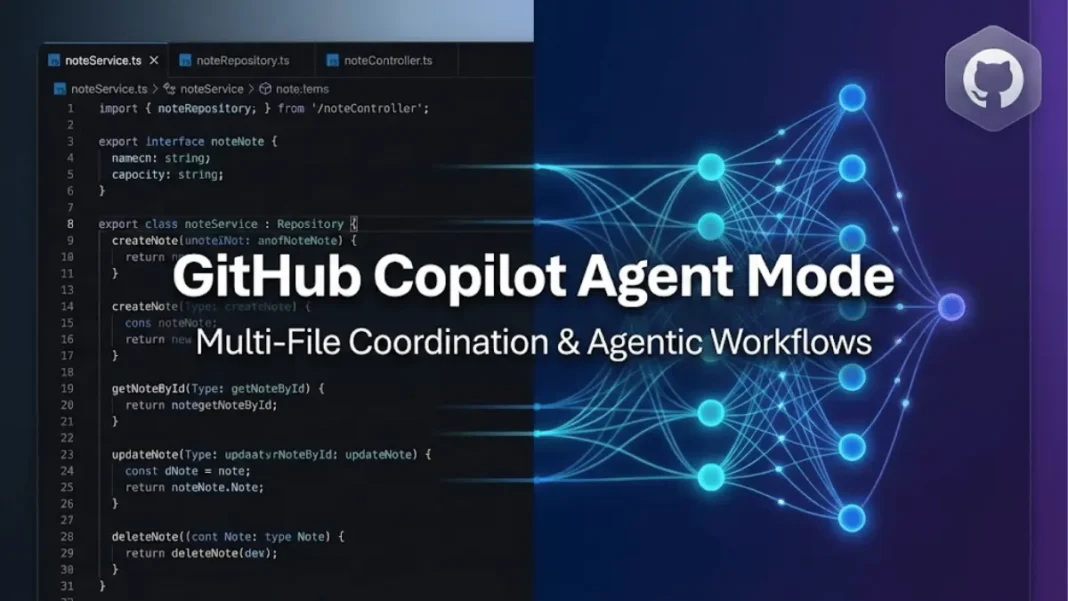
GitHub Copilot’s agent mode fundamentally changed how developers approach multi-file engineering challenges in early 2026. Unlike traditional autocomplete tools, agent mode operates as an architectural collaborator that coordinates changes across repositories, identifies coupling issues, and proposes system-level refactoring strategies. This shift transforms Copilot from a code suggestion engine into a design partner for staff-level workflows.
Agent mode now integrates with the Model Context Protocol (MCP) across all VS Code users, enabling agentic capabilities that understand project structure, dependencies, and cross-file relationships. The February 2026 GitHub blog release outlines how senior engineers leverage these capabilities for decomposition, migration planning, and test modernization patterns previously requiring extensive manual coordination.
System Design Through Agentic Decomposition
Senior engineers begin projects by defining boundaries, not writing code. Agent mode reveals structural issues through targeted architectural analysis prompts. When asked to “analyze this service and propose modular decomposition with domain, infrastructure, and interface layers,” Copilot identifies anti-patterns, coupling concerns, and transaction pitfalls before implementation begins.
This approach transforms Copilot into a design reviewer. Developers can request architecture comparisons: “Compare hexagonal architecture vs. layered architecture for this codebase with tradeoffs.” The response includes cross-layer coupling analysis, async failure points, and testability implications specific to the existing code structure.
GitHub Skills offers four interactive exercises Expand Your Team with Copilot, Build Applications with Agent Mode, Modernize Legacy Codebases, and Customize Your Experience designed for practicing these patterns in controlled environments. Even experienced developers benefit from these labs when establishing reliable workflows for complex refactoring.
What makes GitHub Copilot agent mode different from traditional AI coding assistants?
Agent mode determines which files require changes, offers code modifications and terminal commands, then iterates to remediate issues until task completion. Traditional assistants provide isolated code snippets. Agent mode coordinates domain models, repository abstractions, controller logic, and documentation simultaneously while maintaining architectural consistency.

Multi-File Coordination for Feature Implementation
Adding a tagging subsystem demonstrates agent mode’s architectural awareness. This seemingly simple feature impacts data modeling, search behavior, API contracts, validation boundaries, and migration strategy. Before touching code, developers prompt: “Propose architectural changes required to add a tagging subsystem with migration needs and regression risks.”
Copilot identifies tag-note relationships (one-to-many vs. many-to-many), schema evolution strategy, search logic impact, required test updates, and API consumer implications. Implementation then proceeds through a single execution prompt: “Implement tagging domain model, schema changes, repository updates, and controller logic with tests and documentation as diffs.“
The February 2026 GitHub announcement showcases this coordination across migrations (ALTER TABLE notes ADD COLUMN tags TEXT DEFAULT '[]'), domain interfaces (TypeScript Tag and Note types with relationships), and controller updates (await noteService.addTag(noteId, { label: req.body.label })). This staff-level lens helps junior developers adopt systematic thinking patterns.
GitHub Copilot Edits, available in Visual Studio 2022, extends this capability with checkpoint systems for revisiting earlier iterations. Developers review clear summaries highlighting affected files, accept or reject individual changes with keyboard shortcuts, and maintain alternative approaches simultaneously.
Safe Schema Migrations with Rollback Strategies
Senior-level database work prioritizes backward compatibility, reversibility, load safety, and transparent operation under dependent systems. Agent mode addresses these concerns through migration-specific prompts: “Generate additive, backward-compatible schema migration for tagging subsystem with rollback plan and compatibility window.”
Copilot considers non-breaking additive fields, optional vs. required constraints, dual-read/write strategies, safe rollback procedures, and API versioning implications. This workflow teaches migration design to earlier-career engineers while providing repeatable patterns for experienced developers managing multi-phase schema evolution.
GitHub’s Agent HQ, announced in October 2025, introduced “mission control” interfaces across Visual Studio Code, mobile, and CLI for tracking agent-generated work. New controls include branch rules for CI checks, identity features managing which agent performs tasks, and merge conflict resolution tools for coordinating changes across distributed teams.
How does GitHub Copilot handle validation logic refactoring across modules?
Copilot creates step-by-step refactor plans identifying affected modules and test updates. For validation extraction, it proposes: introduce domain validationService, move logic from controllers, update controllers to use new service, fix repository validation assumptions, update domain tests, then integration tests. Developers execute incremental steps with risk callouts to maintain low blast radius.
Advanced Refactoring with Incremental Execution
Cross-module refactoring extracting validation from controllers into domain services demonstrates agent mode’s systematic approach. The prompt “Create step-by-step refactor plan to extract validation logic into domain service with affected modules and test updates” yields a six-step sequence.
Incremental execution prevents over-reach: “Execute steps 1–3 only, stop before controller rewrites, provide detailed diffs and risky areas.” This controlled approach models directly in the IDE while maintaining code stability. Developers treating Copilot as a collaborator who benefits from up-front onboarding, clarifying intent, exposing configs, linking relevant files through comments generate more precise, production-ready code.
GitHub Copilot coding agent, available with Pro, Pro+, Business, and Enterprise plans, determines necessary steps autonomously when tasks involve multiple iterations and error handling. Complex workflows requiring external application integration, such as MCP servers, benefit most from this autonomous determination capability.
Test Strategy Modernization Beyond Unit Coverage
Instead of requesting individual tests, agent mode assesses entire suites: “Analyze current test suite and identify systemic gaps with modernization plan including contract, integration, and domain-layer tests”. This elevates testing into an architectural concern rather than a coverage metric.
Implementation follows with contract test generation: describe("NotesRepository contract", () => { test("create + fetch returns fully hydrated note object", async () => {...})}). The framework validates repository behavior independently of controller or database implementation details.
Pull request summaries generated by Copilot highlight key modifications and impacted files, aiding reviewers in understanding change scope quickly. AI-powered code review features provide improvement suggestions and issue identification directly within PR workflows, complementing human review efforts.
What are agent mode’s limitations for enterprise development?
Agent mode should not alter domain invariants without human review, redesign cross-service ownership boundaries, replace institutional knowledge logic, perform large rewrites across hundreds of files, or debug deep runtime issues. It supports decision-making rather than replacing engineering judgment. Teams must maintain architectural oversight and validate proposed changes against business requirements.
Complete End-to-End Workflow Integration
Real-world agent mode sequences integrate six distinct phases: architectural analysis identifying hazards and modularization opportunities, module boundary definition across domain/repository/controller layers, tagging subsystem implementation from assessment through tests to documentation, backward-compatible migration creation with rollback planning, targeted validation layer extraction, and test suite modernization covering contract/integration/domain tests.
This workflow remains architecturally realistic for production systems. GitHub positions Agent HQ as the central hub for multi-vendor coding agents, with mission control appearing across platform surfaces. The system manages identity, branch controls, and merge conflict resolution for coordinating agent-generated code across teams.
Custom instructions enhance Copilot Chat responses by providing contextual details on preferences, tools, and requirements. Developers specify project-specific conventions, preferred libraries, and coding standards to tailor agent behavior consistently across workflows.
GitHub Copilot in CLI extends assistance to terminal commands, reducing context switching between editor and command line. This integration completes the development loop from planning through implementation to deployment coordination.
Frequently Asked Questions (FAQs)
What is GitHub Copilot agent mode?
Agent mode is an autonomous coding capability where Copilot determines which files to modify, offers code changes and terminal commands, then iterates to complete tasks. It handles complex multi-step workflows involving error handling and external application integration, coordinating changes across domain, repository, and controller layers simultaneously.
How many developers will use GitHub Copilot in 2026?
GitHub Copilot reached 4.7 million paid users as of January 2026. Microsoft reported 75% year-over-year growth, with Copilot Pro+ subscriptions growing 77% quarter-over-quarter during the same period.
Which GitHub Copilot plans include agent mode?
Agent mode is available with GitHub Copilot Pro, Pro+, Business, and Enterprise plans. Chat, agent mode, code review, coding agent, and Copilot CLI use premium requests, with usage varying by feature or model. Free plans include 50 premium requests monthly.
Can GitHub Copilot agent mode replace senior developers?
No. Agent mode amplifies judgment rather than replacing it. It should not alter domain invariants without review, redesign ownership boundaries, replace institutional knowledge, perform large rewrites, or debug deep runtime issues. It functions as a design partner for system-level workflows while requiring human oversight.
How does agent mode handle schema migrations?
Agent mode generates additive, backward-compatible migrations with rollback plans when prompted. It considers non-breaking fields, optional vs. required constraints, dual-read/write strategies, safe rollback procedures, and API versioning implications. Developers specify compatibility windows and expected impact to dependent systems.
What are GitHub Skills exercises for agent mode?
GitHub Skills offers four free modules: Expand Your Team with Copilot for multi-step execution, Build Applications with Agent Mode for task-driven generation, Modernize Legacy Codebases for refactoring and migrations, and Customize Your Experience for custom instructions and agents. These forkable labs provide controlled environments for practicing agentic workflows.
Does agent mode work across different programming languages?
Yes. Agent mode operates with Node, Python, Go, and other languages supporting service-layer architectures. The agentic capabilities focus on structural patterns, domain boundaries, dependency inversion, contract testing rather than language-specific syntax, making workflows transferable across technology stacks.
How do I start using agent mode in Visual Studio Code?
Click the Edits thread button (a “+” symbol with pencil icon) in the Copilot Chat window. Describe changes using natural language. Copilot automatically considers current files, open files, or searches related files. Specify additional context using # commands like #errors, #file, or #solution for precise targeting.

