

Quick Brief
- SyGra Studio announced February 2026 as part of ServiceNow’s 2.0.0 release with UI-first design
- Eliminates YAML editing through drag-and-drop canvas with real-time execution monitoring
- Supports multimodal pipelines including audio transcription, text-to-speech, and image generation
- Built on LangGraph framework with enterprise ServiceNow instance integration capabilities
ServiceNow has fundamentally changed how data scientists build synthetic datasets and SyGra Studio proves it. Published February 5, 2026, this visual interface replaces terminal commands with an interactive canvas where workflows become transparent, modifiable, and executable in real time. According to ServiceNow’s official documentation, Studio maintains full backward compatibility with existing SyGra infrastructure while introducing a UI-first development experience.
What SyGra Studio Solves for Data Teams
Traditional synthetic data generation forces developers to juggle YAML configurations, debug terminal outputs, and manually track execution states. Studio eliminates this friction by turning complex LangGraph pipelines into visual workflows. Every node, edge, and variable displays on a canvas where users preview data sources, validate model connections, and watch token costs accumulate during execution.
The platform maintains full compatibility with SyGra’s existing infrastructure. Visual compositions automatically generate corresponding YAML configs and task executor scripts, meaning teams can transition between UI and code without breaking existing pipelines.

7 Core Capabilities That Define Studio
Visual Workflow Design With Live Validation
Studio’s canvas supports drag-and-drop node placement with inline variable suggestions. When users type { inside a prompt editor, every available state variable from upstream nodes appears instantly. Model configurations use guided forms covering OpenAI, Azure OpenAI, Ollama, Vertex AI, Bedrock, vLLM, and custom endpoints.
Data source connectors support Hugging Face repositories, local file systems, and ServiceNow instances. The Preview function fetches sample rows before execution, exposing column names as template variables like {prompt} or {genre} throughout the pipeline.
Real-Time Execution Monitoring and Cost Tracking
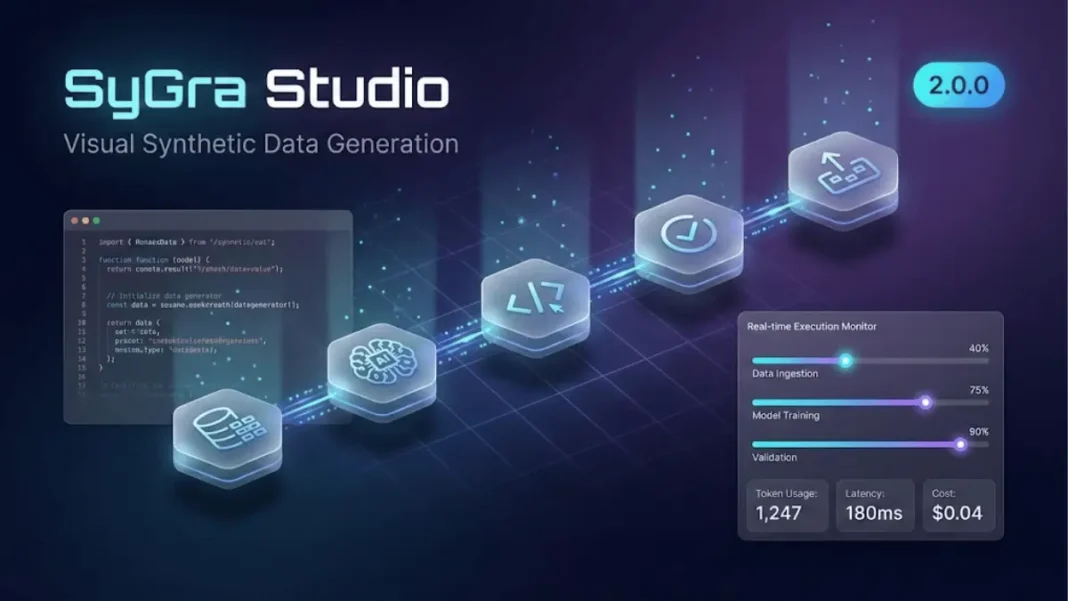
The Execution panel streams node-level progress, displaying token usage, latency, and per-run costs as workflows process records. All execution metadata writes to .executions/runs/*.json files for post-run analysis. According to ServiceNow’s 2026 documentation, users can set record counts, batch sizes, and retry behaviors before launching workflows.
Studio’s Monaco-backed code editor provides inline logs and breakpoints. Auto-saved drafts prevent configuration loss during iterative development cycles.
Multimodal Pipeline Support Beyond Text
SyGra 2.0.0 expands Studio’s capabilities to audio, speech, and image modalities. Audio transcription integrates Whisper and GPT-4o-transcribe models with input_type: audio routing. Text-to-speech nodes generate scalable voice datasets using output_type: audio. Image generation workflows store artifacts as managed files with downstream path references for multimodal evaluation pipelines.
Enterprise ServiceNow Integration
Studio reads from and writes to ServiceNow tables as both sources and sinks. This enables end-to-end enrichment and analysis pipelines within enterprise environments. Multi-dataset joins support primary, cross, random, sequential, column-based, and vertical stacking strategies.
First-Class Tool Calling in LLM Nodes
SyGra 2.0.0 adds native tool calling directly within LLM nodes. Workflows generate structured tool calls without separate agent nodes, producing tool-call traces suitable for supervised fine-tuning. Evaluation workflows validate whether correct tools and parameters were invoked during execution.
Semantic Deduplication and Self-Refinement
Studio includes embedding-based semantic deduplication using LangGraph Vector Store for near-duplicate removal. For smaller datasets, all-pair cosine similarity ensures diversity. The reusable self-refinement subgraph recipe combines generation, judging, and iterative refinement with captured reflection trajectories.
Expanded Provider Ecosystem
SyGra defaults to LiteLLM-backed model routing. Explicit integrations cover Google Vertex AI and AWS Bedrock across text, image, and audio modalities. This architecture simplifies provider expansion compared to hard-coded API implementations.
How Studio Compares to Alternatives
The synthetic data generation landscape includes established tools like Synthetic Data Vault (SDV), Gretel.ai, Tonic.ai, MOSTLY AI, and YData Fabric. SDV remains the dominant open-source Python framework for tabular data with copula models and CTGAN synthesizers. Gretel.ai focuses on privacy-preserving generation for regulated industries. Tonic.ai specializes in CI-ready test data with referential integrity.
| Tool | Workflow Type | Multimodal Support | Visual Interface | Enterprise Integration |
|---|---|---|---|---|
| SyGra Studio | Graph-based, visual | Audio, speech, images | Full canvas | ServiceNow native |
| SDV | Code-first Python | Text/tabular only | None | Manual |
| Gretel.ai | API-driven | Limited | Dashboard | Cloud APIs |
| Tonic.ai | Database-focused | Text only | Partial | CI/CD automation |
| YData Fabric | Pipeline orchestration | Tabular focus | UI + SDK | Lakehouse integration |
Studio differentiates through its LangGraph foundation. Unlike linear pipeline tools, Studio supports conditional edges, loops, and subgraph reuse. The visual canvas generates production-ready YAML configurations automatically, bridging the gap between no-code interfaces and developer-controlled infrastructure.
Real-World Workflow: Code Assistant Generation
The Glaive Code Assistant example demonstrates Studio’s capabilities. This workflow ingests the glaiveai/glaive-code-assistant-v2 dataset, drafts answers, critiques them, and loops until the critique returns “NO MORE FEEDBACK”.
Studio’s canvas displays two nodes generate_answer and critique_answer linked by a conditional edge. The edge routes back for revisions or exits to END when satisfied. The Run modal allows switching dataset splits, adjusting batch sizes, capping records, and tweaking temperatures without YAML edits. Both nodes light up sequentially during execution, with intermediate critiques inspectable in real time.
What is Studio’s execution metadata structure?
Studio automatically captures latency percentiles, token usage, node-level costs, and structured artifacts across runs. Metadata writes to .executions/ directories in JSON format, enabling downstream analysis and optimization workflows.
Getting Started With Studio
Installation requires cloning the SyGra repository and running the Studio command:
textgit clone https://github.com/ServiceNow/SyGra.git
cd SyGra && make studio
Official documentation resides at servicenow.github.io/SyGra/ with Studio-specific guides at servicenow.github.io/SyGra/getting_started/create_task_ui/. Example configurations appear in tasks/examples/glaive_code_assistant/graph_config.yaml.
The platform’s architecture separates visual composition from execution logic. Users design workflows on the canvas while Studio generates compatible graph configs and task scripts. This dual-output approach maintains developer control over infrastructure while accelerating iteration cycles.
Observability and Evaluation Features
SyGra 2.0.0 introduces rich execution metadata capture. Metrics include:
- Latency percentiles per node
- Token consumption by model and prompt
- Guardrail outcomes and validation results
- Execution history with structured artifacts
These capabilities support A/B testing of prompt variations, cost optimization, and quality benchmarking. Studio’s evaluation workflows validate whether generated outputs meet specified criteria before committing to production datasets.
Limitations and Considerations
Studio requires familiarity with LangGraph concepts like state management and conditional edges. Teams accustomed to linear ETL tools face a learning curve with graph-based orchestration. The platform’s multimodal features depend on provider API availability audio and image generation require compatible endpoints.
ServiceNow instance integration assumes existing infrastructure. Organizations without ServiceNow deployments must rely on Hugging Face or file system connectors.
How does Studio handle failed nodes during execution?
Studio supports retry behavior configuration and breakpoint debugging. Monaco-backed editors provide inline logs showing failure reasons. Users can modify node configurations and re-run from the failure point without restarting entire workflows.
Production Deployment Patterns
Studio generates YAML configs compatible with SyGra’s CLI executor. Teams develop workflows visually, export configurations, and integrate them into CI/CD pipelines. The .executions/ directory structure supports version control and audit trails.
LiteLLM routing enables cost optimization through provider switching. A workflow using GPT-4 for generation can route critique nodes to Claude or Gemini based on latency requirements. Studio’s execution metadata reveals per-provider costs, informing infrastructure decisions.
What data formats does Studio support for output sinks?
Studio supports multiple output formats for local file systems. Hugging Face connectors push directly to dataset repositories. ServiceNow integrations write to configured tables with field mapping.
Academic Foundation and Research Lineage
SyGra’s framework originates from a 2025 arXiv paper introducing graph-oriented synthetic data pipelines. The research emphasizes reproducibility through YAML-based configuration, modular subgraph reuse, and integrated validation. ServiceNow’s implementation maintains these principles while adding Studio’s visual layer.
The framework supports quality tagging and OASST-style formatting for seamless downstream use in language model training. This academic grounding distinguishes SyGra from commercial-first tools lacking published methodologies.
Future Development Trajectory
ServiceNow’s 2026 roadmap prioritizes expanded model provider integrations and enhanced evaluation capabilities. The LangGraph foundation positions Studio for agent-based workflows as LLM tool-use matures. Multimodal support continues to expand across audio, image, and text modalities based on the 2.0.0 release.
Community adoption depends on open-source ecosystem growth. Studio’s GitHub repository shows active development with regular releases. Enterprise adoption requires proving cost efficiency compared to established tools like SDV and Gretel.ai.

Frequently Asked Questions (FAQs)
What is SyGra Studio’s primary advantage over SDV?
SyGra Studio provides a visual workflow builder with real-time execution monitoring, while SDV requires Python code for all configurations. Studio generates production YAML automatically, eliminating manual scripting for complex multi-step pipelines.
Does Studio support air-gapped deployment environments?
Yes, Studio runs locally after repository cloning and supports file system data sources without internet connectivity. Organizations can deploy in restricted environments similar to SDV’s air-gapped capabilities.
What is the learning curve for teams new to LangGraph?
Teams must understand LangGraph fundamentals including state variables and conditional edges. ServiceNow provides comprehensive documentation covering these concepts. The visual interface reduces complexity compared to code-first approaches.
How does Studio handle data privacy and GDPR compliance?
Studio processes data locally or within customer-controlled ServiceNow instances. Organizations maintain full control over data residency and processing locations. No data transmits to ServiceNow servers during local execution.
Can Studio replace existing Tonic.ai or MOSTLY AI deployments?
Studio excels at LLM-driven synthetic data generation but serves different use cases than Tonic.ai’s database-scale referential integrity features. MOSTLY AI’s privacy-preserving tabular synthesis addresses distinct requirements. Evaluate Studio for unstructured data and multimodal workflows.
What cloud providers does Studio integrate with for model hosting?
Studio supports OpenAI, Azure OpenAI, Google Vertex AI, AWS Bedrock, Ollama, vLLM, and custom endpoints through LiteLLM routing. Teams can mix providers within single workflows for cost optimization.
How does Studio’s semantic deduplication compare to manual filtering?
Studio’s embedding-based deduplication uses LangGraph Vector Store for efficient near-duplicate removal at scale. Manual filtering requires custom similarity calculations, while Studio automates this with configurable thresholds.
What architectural advantages does Studio offer over traditional ETL tools?
Studio’s graph-based architecture supports conditional branching, iterative refinement loops, and reusable subgraphs. Traditional ETL tools follow linear execution patterns without dynamic routing capabilities. This enables complex multi-step validation and self-correction workflows.

