

Quick Brief
- AMD AI Developer Program provides $100 in free credits for 50+ hours of MI300X access
- MiniMax-M2.1 model (139B parameters) runs comfortably within MI300X’s 192GB memory
- OpenClaw configuration connects to enterprise GPU via vLLM’s OpenAI-compatible endpoint
- Setup includes automatic DeepLearning.AI Premium membership and monthly hardware sweepstakes entry
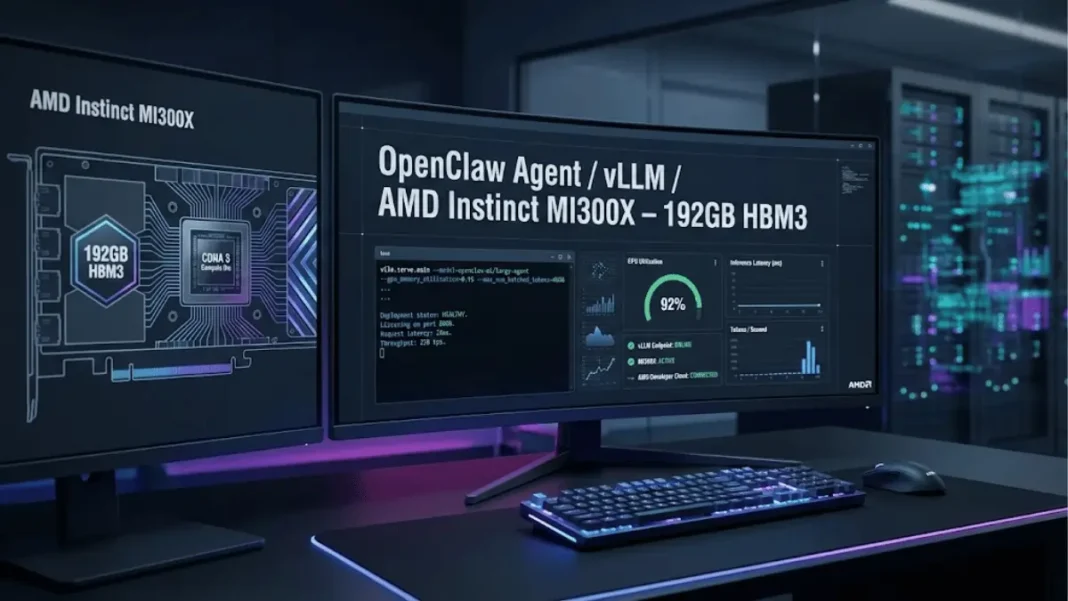
OpenClaw has exploded to over 157,000 GitHub stars within 60 days becoming the fastest-growing open-source project in history but cost and security concerns plague users running powerful models. AMD’s Developer Cloud eliminates both barriers by offering enterprise-grade hardware, specifically the Instinct MI300X with 192GB of memory at no initial cost through their AI Developer Program. This guide demonstrates how to deploy OpenClaw with vLLM on datacenter infrastructure that exceeds consumer GPU limitations.
Why AMD Instinct MI300X Changes AI Agent Economics
The MI300X accelerator delivers 304 compute units and 5.3 TB/s memory bandwidth, designed explicitly for demanding AI workloads. Its 192GB HBM3 memory capacity allows models like MiniMax-M2.1 (139B parameters in FP8) to run without quantization compromises that degrade output quality. Late January 2026 security scans by Astrix Security revealed 93.4% of 42,665 exposed OpenClaw instances were vulnerable to critical authentication bypass highlighting why professional infrastructure matters beyond raw compute.
Consumer GPUs typically max out at 24GB (RTX 4090) or require expensive multi-GPU setups. AMD’s $100 credit translates to approximately 50 hours of MI300X access at $2 per hour, a fraction of comparable enterprise GPU rates.

AMD AI Developer Program: Beyond Free Credits
Enrollment Benefits
The program delivers four distinct advantages beyond compute credits:
- $100 Cloud Credits: Approximately 50 hours of MI300X usage to validate projects
- DeepLearning.AI Premium: One-month membership worth $20, providing structured AI courses
- Hardware Sweepstakes: Automatic monthly entry for AMD hardware giveaways
- Additional Credit Pathway: Developers showcasing public projects qualify for extended allocations
Members who document their implementations and contribute to open-source ecosystems can request credit increases by submitting project portfolios. The 2026 program expansion doubled initial allocations from earlier 25-hour offerings to accelerate development cycles.
Eligibility and Access
AMD targets independent developers, open-source contributors, and ML practitioners working on inference, training, or fine-tuning applications. Credit approval considers use case specificity and detailed project descriptions improve allocation decisions. For questions, AMD maintains direct support at devcloudrequests@amd.com.
Step-by-Step: Deploying OpenClaw with vLLM
Phase 1: Account Setup and GPU Provisioning
Enroll in AMD AI Developer Program:
- Existing AMD account holders: Sign in and enroll directly
- New users: Create account during enrollment process
Activate Credits: Navigate to member portal to retrieve activation code
Launch MI300X Instance:
Configure GPU droplet with these specifications:
- Hardware: Single MI300X accelerator
- Image: ROCm Software (pre-configured drivers)
- Access: Add SSH public key (generation instructions provided in console)
Access via terminal: ssh root@<your-droplet-ip>
Phase 2: Environment Configuration
Install Python Virtual Environment:
apt install python3.12-venv
python3 -m venv .venv
source .venv/bin/activate
Install ROCm-Optimized vLLM:
pip install vllm==0.15.0+rocm700 --extra-index-url https://wheels.vllm.ai/rocm/0.15.0/rocm700
vLLM remains the most popular LLM serving framework in 2026, offering production-grade performance with OpenAI-compatible APIs.
Phase 3: Model Deployment
Configure Firewall:
ufw allow 8090
Launch MiniMax-M2.1 Model (replace abc-123 with secure API key):
VLLM_USE_TRITON_FLASH_ATTN=0 vllm serve cerebras/MiniMax-M2.1-REAP-139B-A10B \
  --served-model-name MiniMax-M2.1 \
  --api-key abc-123 \
  --port 8090 \
  --enable-auto-tool-choice \
  --tool-call-parser minimax_m2 \
  --trust-remote-code \
  --reasoning-parser minimax_m2_append_think \
  --max-model-len 194000 \
  --gpu-memory-utilization 0.99
This command pulls the pruned 139B parameter model (reduced from 230B base) from HuggingFace, loads weights onto GPU memory, and exposes an OpenAI-compatible endpoint at http://<droplet-ip>:8090/v1. The model architecture activates 10B parameters per forward pass while supporting up to 196,608 token context AMD’s configuration limits to 194,000 tokens for stability.
Phase 4: OpenClaw Integration
Install OpenClaw (Mac/Linux):
curl -fsSL https://openclaw.ai/install.sh | bash
During installation, select “Open the Web UI” option.
Configure Provider in OpenClaw Web UI:
Navigate to Settings > Config:
- Name:
vllm - API:
openai-completions - API Key: Your defined key (e.g.,
abc-123) - Base URL:
http://<droplet-ip>:8090/v1
Define Model Parameters:
Add new entry under Models section:
- API:
openai-completions - Context Window:
194000(matches max-model-len setting) - ID:
MiniMax-M2.1(matches served-model-name)
Click Apply.
Assign to Agent:
Navigate to Agents section:
- Primary Model:
vllm/MiniMax-M2.1
Click Apply.
OpenClaw Model Selection Strategy
OpenClaw’s model-agnostic architecture allows connection to cloud APIs (Claude 4.5, GPT-4) or local LLMs (Llama 4, Qwen3-Coder). In 2026, reasoning capability determines output quality the MiniMax-M2.1 model deployed here offers 194,000 token context windows (model supports 196,608 tokens natively) with specialized tool-calling parsers.
Alternative deployment options include:
- Llama 3.3 70B: Privacy-focused open-source option requiring significant memory
- Qwen 2.5 72B: Competitive reasoning with lower latency on optimized hardware
- Local Ollama: Mac Mini M4 Pro setups deliver 24/7 availability at higher per-token latency
What does 194K context mean?: The model processes approximately 145,000 words simultaneously equivalent to a 580-page novel. This enables analysis of entire codebases or extended conversation histories without truncation.
Cost Comparison: Cloud vs. AMD Developer Cloud
| Provider | GPU Type | Memory | Hourly Rate | 50 Hours Cost |
|---|---|---|---|---|
| AMD Developer Cloud | MI300X | 192GB | $2.00* | $100 ($0 with credits) |
| AWS (p5.48xlarge) | 8x H100 | 640GB | $98.32 | $4,916 |
| Azure (ND96isr_H100_v5) | 8x H100 | 640GB | $91.56 | $4,578 |
| Lambda Labs | 1x A100 | 40GB | $1.10 | $55 |
*Estimated rate based on $100 credit providing 50 hours
The MI300X delivers superior value for models under 192GB avoiding multi-GPU complexity while providing enterprise-grade performance.
Security Considerations
Self-hosted deployments address two critical concerns:
- Data Privacy: Prompts remain off commercial provider training pipelines when running on dedicated infrastructure
- Instance Security: Astrix Security’s ClawdHunter scan on January 31, 2026 identified 42,665 exposed OpenClaw instances with 93.4% containing critical authentication bypass vulnerabilities (CVE-2026-25253, CVSS 8.8) AMD’s firewalled droplets mitigate public attack surfaces
Additional security concerns include 341 malicious skills discovered on ClawHub marketplace and the Moltbook breach exposing 1.5 million API tokens. For maximum privacy, implement hybrid workflows: use cloud APIs for general tasks, switch to self-hosted models for sensitive operations.
Extending Your Credit Allocation
AMD prioritizes developers contributing to open-source ecosystems. To qualify for additional credits:
- Document Implementation: Create detailed setup guides or case studies
- Open-Source Contribution: Share configurations, tools, or integrations on GitHub
- Community Engagement: Present results in developer forums or technical blogs
- Submit Portfolio: Email devcloudrequests@amd.com with project links and usage justification
Approved requests receive credit increases scaled to project scope and community impact.
Troubleshooting Common Issues
Port Access Errors: Verify firewall rules with ufw status and confirm port 8090 is listed
Memory Overflow: Reduce --max-model-len to 180000 or lower --gpu-memory-utilization to 0.90 if encountering OOM errors
Connection Timeouts: Increase OpenClaw timeout setting to 60,000ms for large model inference:
timeout_ms: 60000
Model Download Failures: Ensure droplet has sufficient storage (MiniMax-M2.1 requires approximately 280GB for FP8 weights)
Alternative Models for MI300X
The 192GB memory capacity supports multiple model families:
- Qwen3-Coder-Next: Extended context windows for agentic coding workflows
- Llama 4 405B: Quantized versions (Q4) fit within memory constraints
- Mixtral 8x22B: Mixture-of-experts architecture offering efficiency gains
Browse HuggingFace’s model hub filtering for models under 190B parameters with FP8/INT8 quantization compatibility.
Performance Optimization
Batch Processing: Increase throughput by configuring --max-batch-total-tokens for concurrent requests
Flash Attention: The VLLM_USE_TRITON_FLASH_ATTN=0 flag disables Triton kernels test enabling (set to 1) if AMD ROCm 6.0+ supports your model architecture
Context Caching: Enable prompt caching for repeated system instructions to reduce latency:
--enable-prefix-caching
Frequently Asked Questions (FAQs)
How long do AMD Developer Cloud credits last?
Credits remain active for 12 months from activation date. Unused credits expire after this period, with no rollover or refund options. Plan deployments to maximize the 50-hour allocation.
Can I run multiple models simultaneously on one MI300X?
Yes, but total memory usage must remain under 192GB. Deploy a 70B model (approximately 140GB) alongside a smaller coding model (30GB) for specialized task routing. Monitor GPU utilization with rocm-smi.
Does OpenClaw support other inference frameworks?
OpenClaw connects to any OpenAI-compatible endpoint, including Ollama, LM Studio, and TGI (Text Generation Inference). Configure base URL and model ID matching your framework’s API specifications.
What happens after 50 hours of usage?
Request additional credits by demonstrating project value, or transition to paid usage at standard AMD Developer Cloud rates. Export your configuration to replicate the setup on alternative infrastructure.
Is MI300X performance comparable to NVIDIA H100?
The MI300X delivers 5.22 petaFLOPs (5,220 teraFLOPS) peak theoretical FP8 performance. Memory bandwidth (5.3 TB/s) matches H100 specifications. Real-world inference speed depends on model optimization for ROCm versus CUDA.
Can I use this setup for fine-tuning?
Yes, though 50 hours provides limited fine-tuning runs for large models. A full fine-tuning cycle on 70B models requires 20-40 hours depending on dataset size. Consider requesting extended credits for training workloads.
How secure is self-hosted OpenClaw compared to cloud APIs?
Self-hosting eliminates data sharing with commercial providers, but requires proper configuration. The January 2026 Astrix Security audit found 93.4% of public instances had critical vulnerabilities. AMD’s firewalled droplets provide baseline security, but implement additional authentication and network isolation for production use.

